Hand on Hip Pose Reference
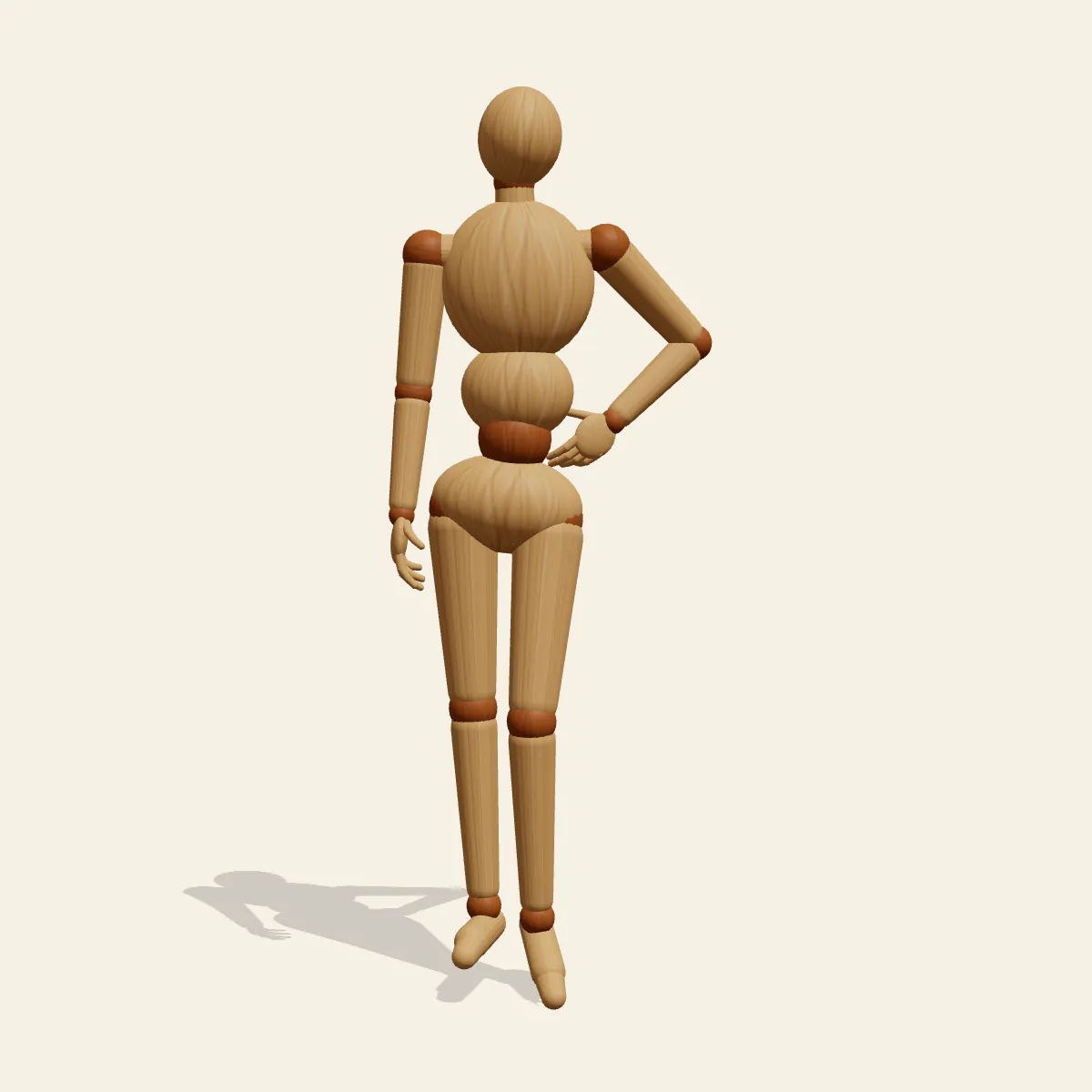
Hand on Hip: a relaxed female pose reference with the weight on the right leg, one hand set on the hip and a soft S-curve through the body.
- Standing Poses
- standing
- female
- hand on hip
- contrapposto
- fashion
Free for personal and commercial use (CC0). License details
How to draw the Hand on Hip pose
Everything here starts at the pelvis. The right leg takes the load, so the right hip rides up while the shoulder girdle tips the opposite way and the right shoulder drops. That squeezes the torso on the right side and stretches it on the left, and those two tilted lines are what turn a plain stand into a poised one. The left knee bends and rolls inward, the heel lifts until just the toe tips rest on the ground, so that leg carries almost nothing. The right arm simply hangs a little away from the thigh, and the head tilts to finish the curve.
Block it in with two lines before any limbs: a hip line climbing toward the standing leg and a shoulder line falling toward it. If they come out parallel, fix them before going further. Then place the left hand. The heel of the palm sits on top of the hip bone with the fingers wrapping forward or back, and the elbow points out to the side, not behind, so arm and waist frame a triangle of empty space. That triangle is the most recognisable shape in the silhouette, so keep it open.
Each camera angle tests something different. The front view shows the tilt lines and the arm triangle at their clearest. The three-quarter view reveals how the bent knee crosses in front of the standing leg. In the side view the elbow foreshortens toward you and the triangle nearly vanishes, a handy check that the elbow really goes sideways. From the back, the raised hip and the curve of the spine are easy to read, and the low angle lends the figure a confident, statuesque presence that suits covers.
Typical slips are level hips, an elbow swung backward and a hand hovering above the hip with no contact; press the wrist into the side so the hand reads as resting. Use the stance for fashion illustration, character sheets, casual portraits and waiting-around scenes. To push it in the editor, drag the free right hand up to the other hip for a bolder two-handed stance, or flip the figure so the left leg becomes the standing one.
Hand on Hip pose prompt
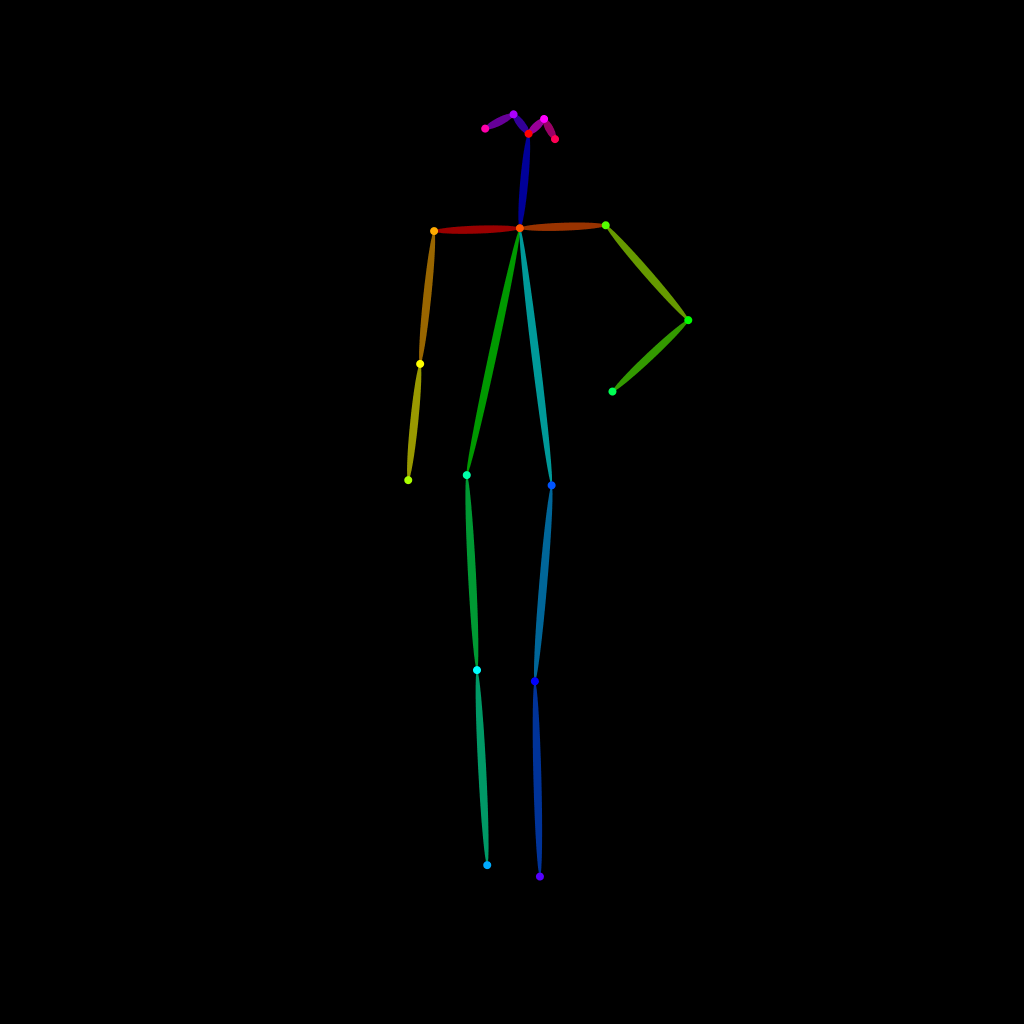
Copy a prompt for your AI image generator. Pair it with the OpenPose skeleton in ControlNet so the generated character matches this exact pose.
General prompt
A woman standing in a relaxed fashion pose, weight on her right leg, left knee bent inward with only the toes touching the floor, left hand resting on her hip with the elbow out to the side, right arm hanging loose, head tilted, plain studio background.
Midjourney
full body woman, relaxed contrapposto stance, weight on right leg, left knee bent inward on tiptoe, left hand on hip, elbow pointing out, right arm hanging loose, head tilted, S-curve posture, plain grey background, fashion photography --ar 2:3 --style raw
Stable Diffusion
1person, full body, woman, standing, contrapposto, hand on hip, elbow out, weight on one leg, bent knee, knee turned in, tiptoe, arm at side, head tilt, s-curve, fashion pose, front view, eye level, simple background
Negative prompt
level hips, elbow pointing backward, hand floating above hip, both feet flat, stiff symmetrical stance, straight rigid spine, shoulders level, extra fingers, malformed hands, extra limbs, distorted anatomy, cropped feet, blurry
OpenPose skeleton for ControlNet
Load the PNG into a ControlNet OpenPose unit (preprocessor: none), or import the JSON into an OpenPose editor.
Free to use (CC0)
The pose images on this page are released under CC0 1.0 (public domain dedication). Use them for drawing practice, commercial illustration, reference sheets or AI image generation; no attribution is required. A credit to PoseMaker is appreciated but optional.
Have a photo of the pose you want?
Upload it to Photo to Pose. We detect the pose in your browser and put it on the mannequin, ready to adjust.