Contrapposto Pose Reference
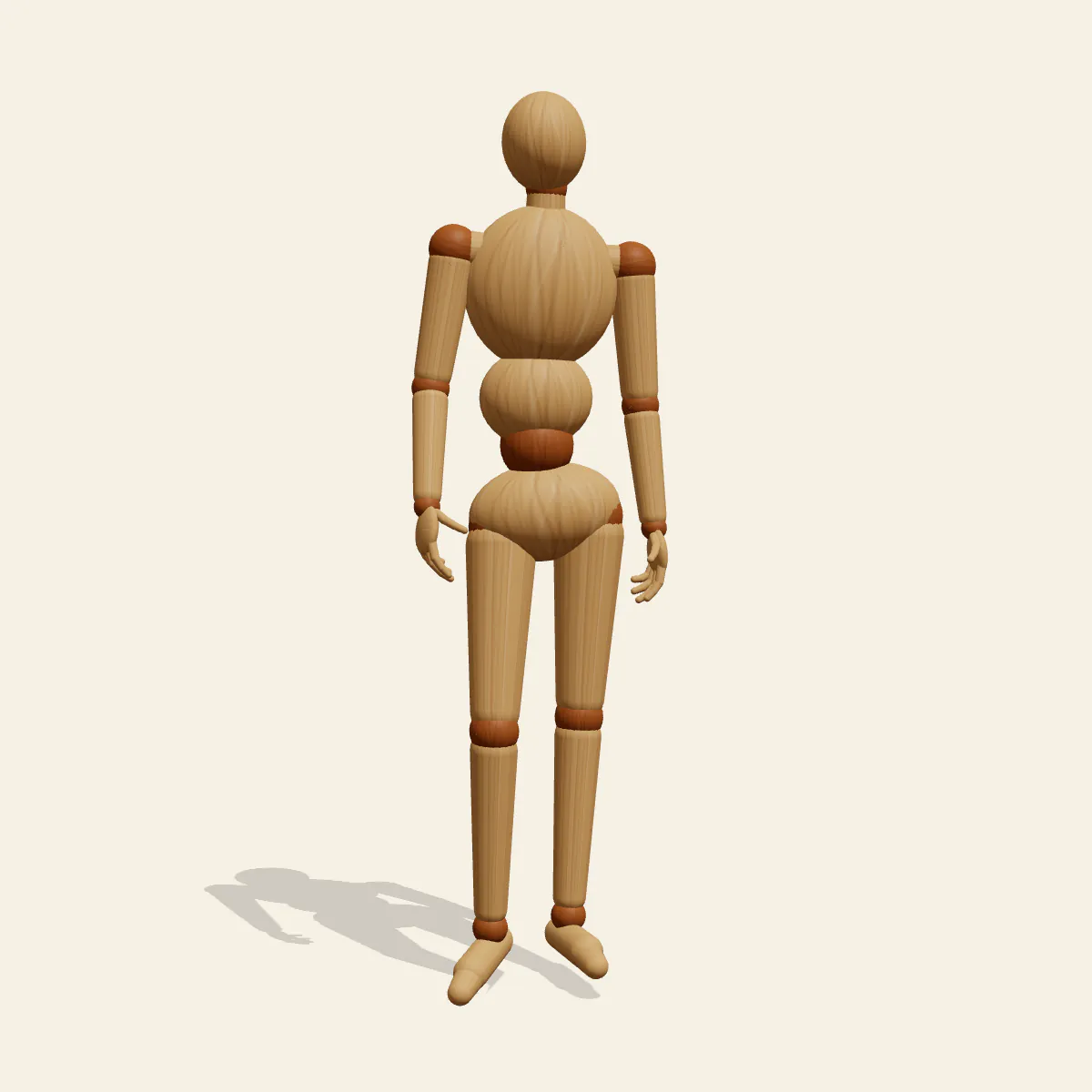
Contrapposto body pose reference: a classical standing figure with all its weight on the left leg, hips and shoulders tilted in opposite directions.
- Standing Poses
- standing
- body
- contrapposto
- classical
- weight shift
Free for personal and commercial use (CC0). License details
How to draw the Contrapposto pose
Start with the left leg. It is the only column holding the body up, so the left foot has to sit directly under the pit of the neck, the small notch between the collarbones. Drop a plumb line from that notch in the front view and it should land on or just inside the standing foot. The right leg carries almost nothing: its knee drifts forward and slightly in, and the foot rests lightly, ready to take a step.
Above the legs, the body works like two blocks hinged at the waist. The pushing left thigh lifts the pelvis on that side, so the right hip drops. The ribcage answers by tipping the other way, which lowers the left shoulder and raises the right one. The left flank squeezes into a short, folded curve while the right flank stretches long. Add the slight turn of the head and the figure reads as relaxed but alive, the quality sculptors chased in marble for centuries.
Each of the six angles teaches a different part of it. The front view is where you draw the two tilt lines, one through the hip points and one through the shoulders, and watch them converge on the weight side. The back view shows the spine bending into a gentle S. The three-quarter view reveals the counter-rotation of the torso masses, and the side view shows the relaxed knee sitting ahead of the locked one. Use the high angle to check foot placement against the head.
Two mistakes ruin it. Put the standing foot outside the plumb line and the figure looks like it is about to tip over. Tilt hips and shoulders the same way and you get a slouch or a lean, not a balance. Once it clicks, use the stance for fashion sketches, idle character sheets, statues and portraits that need ease. In Edit this pose, mirror it to move the weight onto the right leg, or slide the free foot further back for a lazier version, then recheck the plumb line.
Contrapposto pose prompt
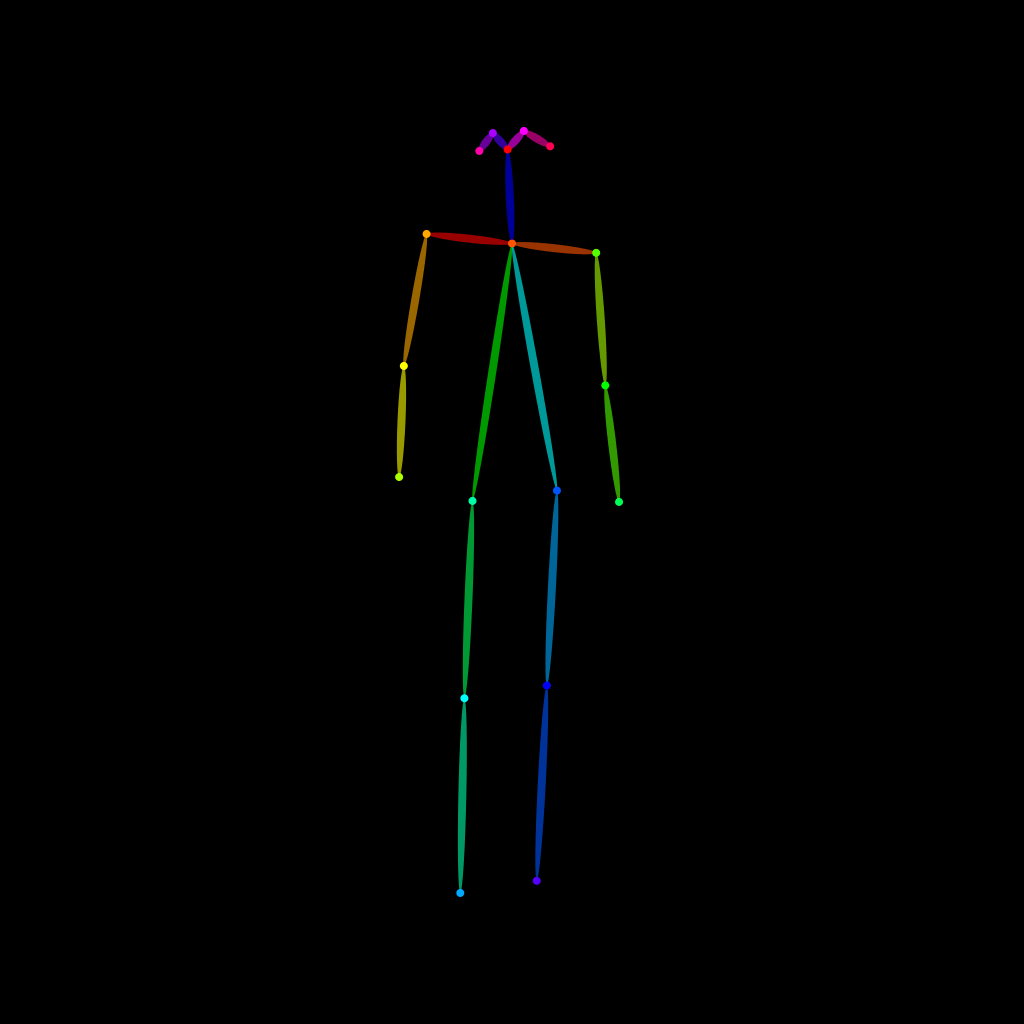
Copy a prompt for your AI image generator. Pair it with the OpenPose skeleton in ControlNet so the generated character matches this exact pose.
General prompt
A person standing in relaxed contrapposto, all weight on the left leg, right knee bent forward with the foot resting lightly, hips tilted up on the left and shoulders tilted the opposite way, head turned slightly to one side, full body, plain light grey background.
Midjourney
full body person standing in classical contrapposto, weight on left leg, relaxed right knee forward, hips and shoulders tilted in opposite directions, head turned slightly, calm sculptural stance, plain grey studio background --ar 2:3 --style raw
Stable Diffusion
1person, full body, standing, contrapposto, weight on one leg, left leg straight, right knee bent, relaxed leg, tilted hips, tilted shoulders, head turned, classical pose, s-curve, front view, plain background, simple background, studio lighting
Negative prompt
weight on both legs, both knees locked, hips and shoulders tilted same way, leaning figure, falling over, stiff symmetrical stance, extra limbs, deformed hands, extra fingers, bad anatomy, missing legs, cropped feet, blurry
OpenPose skeleton for ControlNet
Load the PNG into a ControlNet OpenPose unit (preprocessor: none), or import the JSON into an OpenPose editor.
Free to use (CC0)
The pose images on this page are released under CC0 1.0 (public domain dedication). Use them for drawing practice, commercial illustration, reference sheets or AI image generation; no attribution is required. A credit to PoseMaker is appreciated but optional.
Have a photo of the pose you want?
Upload it to Photo to Pose. We detect the pose in your browser and put it on the mannequin, ready to adjust.