Ballerina Arabesque Pose Reference
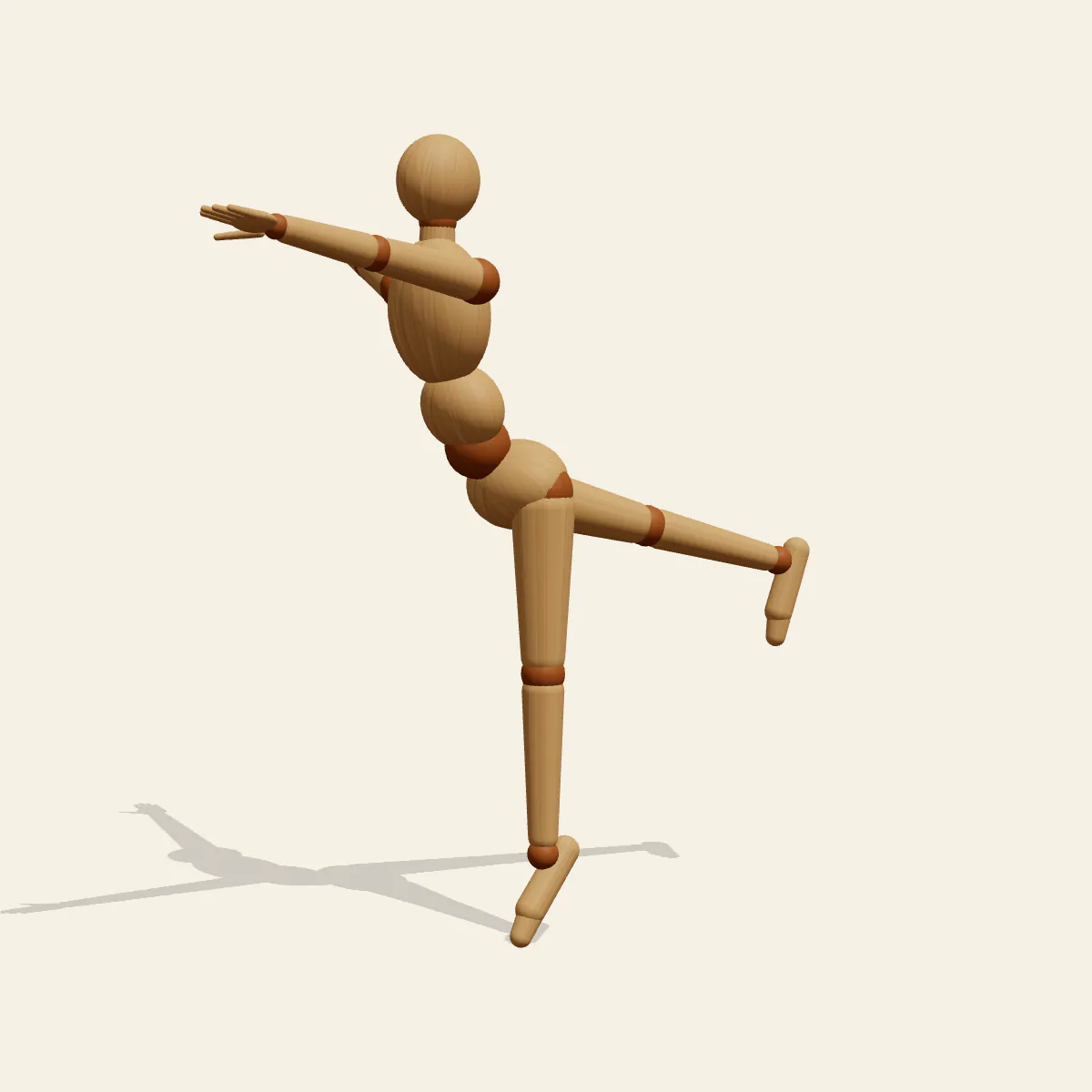
Ballerina Arabesque on a straight left leg in demi-pointe, the right leg stretched back near hip height and the left arm reaching forward.
- Dance Poses
- dance
- ballerina
- ballet
- arabesque
- balance
Free for personal and commercial use (CC0). License details
How to draw the Ballerina Arabesque pose
An arabesque is drawn with two lines before it is drawn with a body. The first runs from the fingertips of the forward left arm, across the shoulders, down the back and out to the pointed toes of the right leg. The second is the standing leg, straight and vertical from the hip to the ball of the left foot, on which the whole dancer balances in demi-pointe. Get those two lines right and the pose works; fill in the anatomy around them afterwards.
Holding the right leg close to hip height asks something of the back. Instead of tipping the torso forward to make room, the dancer lifts the chest and arches the spine, so the torso stays nearly upright while the leg rises behind it. The right arm opens out to the side, widening the shape and helping balance. The head sits about 161 cm above the floor and the centre of mass about 116 cm, held directly over the small support of the forefoot.
Ballet photographers favour the side view, and it is the one to copy: both long lines appear at full length, along with the arch of the back and the pointed foot. The three-quarter view is a softer stage angle that still shows the extended leg. From the front, the lifted leg hides behind the standing one and the forward arm comes toward you, so the pose becomes a vertical column with one foreshortened arm. The back view reverses that, aiming the right foot at the camera. The low angle lengthens the standing leg, and the high angle shows how the arms and leg spread in plan.
Bent knees on either leg break the lines immediately, a torso that tips far forward turns the arabesque into a lower, different shape, and flexed feet make it look like a step rather than a dance. Use the pose for dance school posters, music box figurines, recital illustrations, ballet character design or long-line gesture practice. In Edit this pose, lower the right leg to about 45 degrees for a beginner's arabesque, or deliberately tilt the torso down while raising the leg higher to explore a penchée.
Ballerina Arabesque pose prompt
Copy a prompt for your AI image generator. Pair it with the OpenPose skeleton in ControlNet so the generated character matches this exact pose.
General prompt
A ballerina in an arabesque, balanced on a straight left leg on the ball of the foot, right leg extended straight behind at hip height with toes pointed, left arm reaching forward, right arm out to the side, chest lifted, back arched, full body, plain background.
Midjourney
full body ballerina arabesque, standing on straight left leg in demi-pointe, right leg extended back at hip height, pointed toes, left arm reaching forward, right arm to the side, lifted chest, arched back, elegant long lines, plain background --ar 2:3 --style raw
Stable Diffusion
1person, full body, ballerina, ballet, arabesque, dancing, standing on one leg, leg lifted behind, straight legs, pointed toes, demi-pointe, arm extended forward, arm to side, arched back, graceful, side view, plain background, simple background
Negative prompt
bent knees, flexed feet, torso tipped forward, leg lifted in front, both feet on ground, flat standing foot, hunched shoulders, extra legs, merged legs, bad hands, missing fingers, deformed anatomy, cropped feet, blurry
OpenPose skeleton for ControlNet
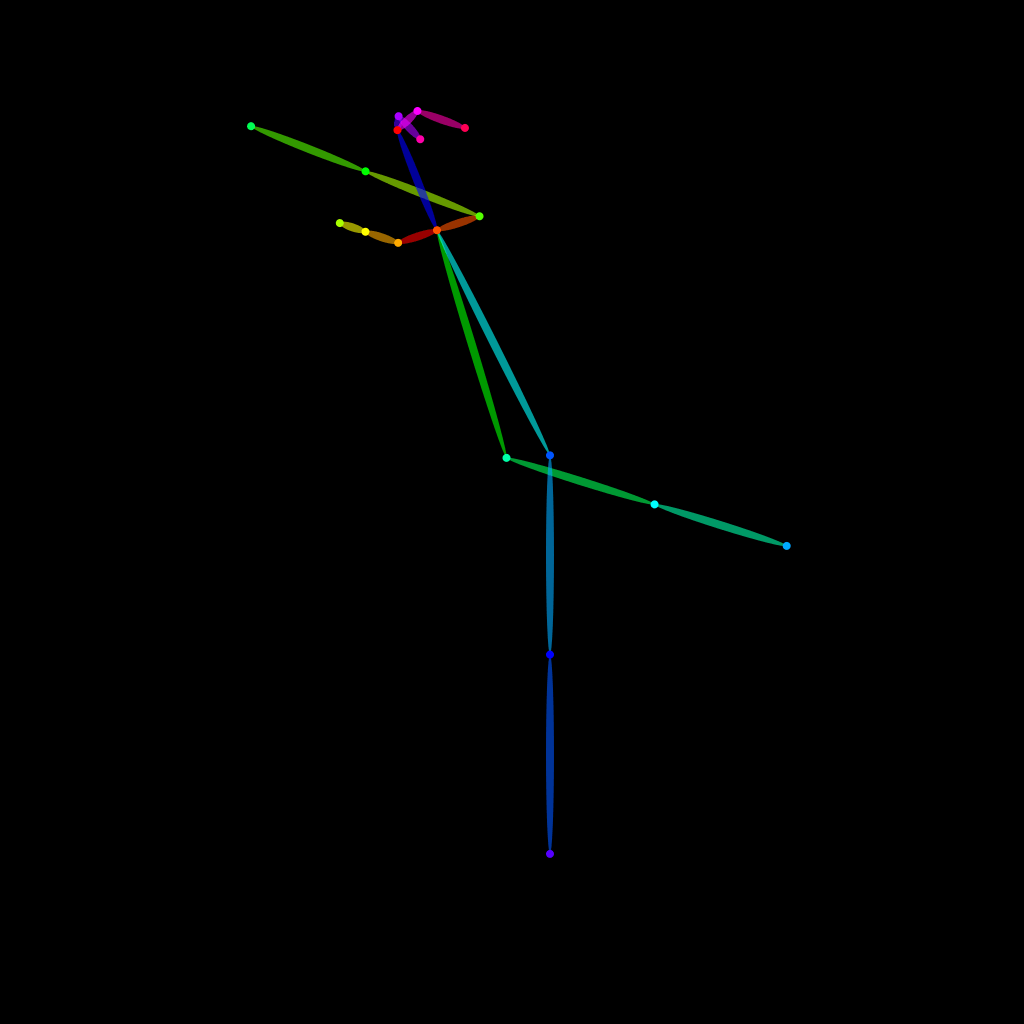
Load the PNG into a ControlNet OpenPose unit (preprocessor: none), or import the JSON into an OpenPose editor.
Free to use (CC0)
The pose images on this page are released under CC0 1.0 (public domain dedication). Use them for drawing practice, commercial illustration, reference sheets or AI image generation; no attribution is required. A credit to PoseMaker is appreciated but optional.
Have a photo of the pose you want?
Upload it to Photo to Pose. We detect the pose in your browser and put it on the mannequin, ready to adjust.