Tree Pose Pose Reference
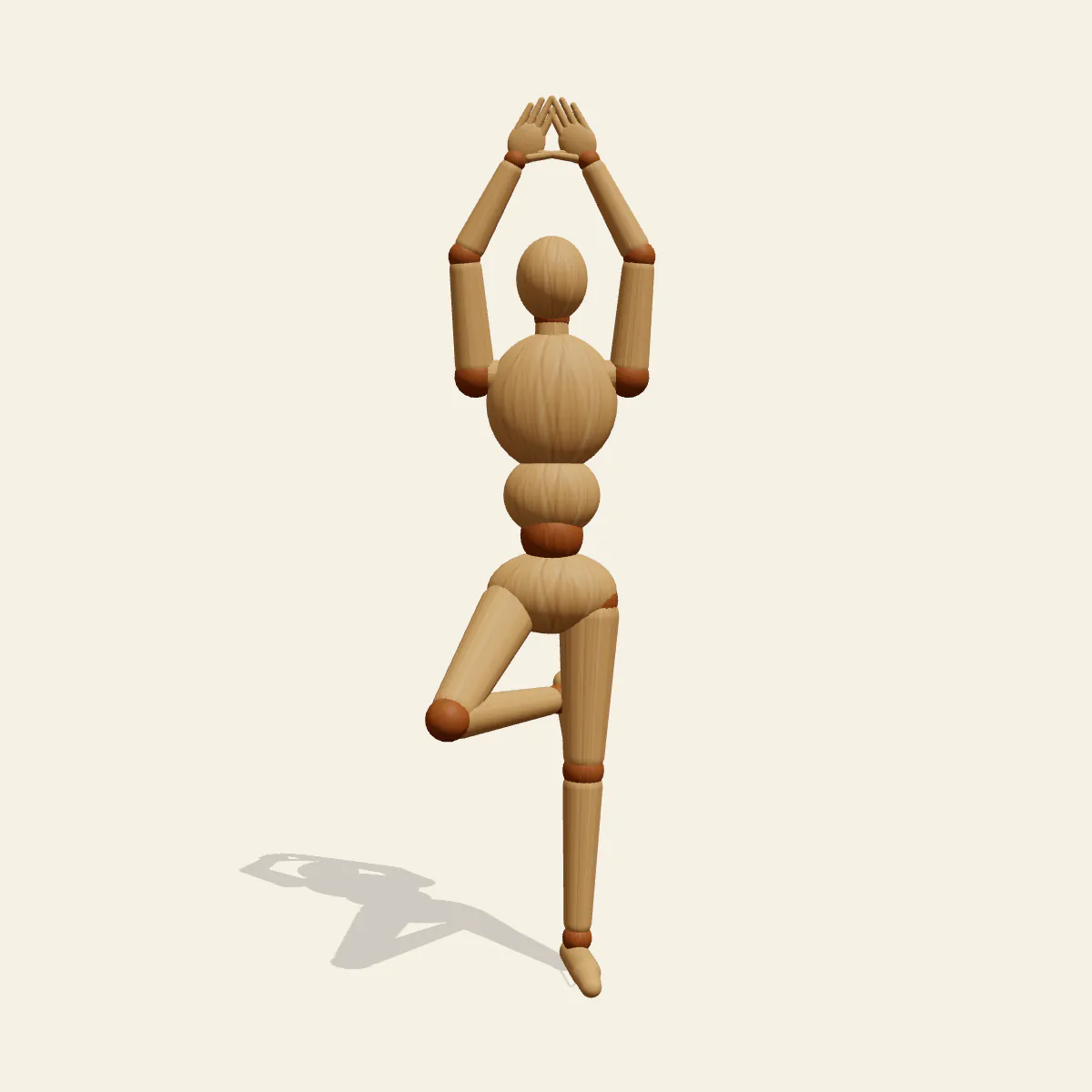
Tree Pose (Vrksasana) balanced on the straight left leg, the right foot pressed into the inner thigh and palms joined overhead, steady and calm.
- Yoga Poses
- yoga
- tree pose
- vrksasana
- balance
- standing
Free for personal and commercial use (CC0). License details
How to draw the Tree Pose pose
Three small errors give away a drawing made without looking. The hip of the standing leg juts out sideways, so the pelvis tilts and the figure seems to lean on a wall that is not there. The bent knee drifts forward instead of opening to the side, which collapses the triangle the leg should make. And the shoulders creep up around the ears as the arms rise, shortening the neck. Each one is easy to check against the mannequin before you commit to lines.
In the correct version the left leg is straight and vertical, and the whole body balances on that one foot. The right foot presses into the inner left thigh, the right knee opens out to the side, and the hips stay level, so the bent leg forms a clean triangle beside the standing one. Above, the palms meet overhead with the arms framing the head, and the spine stays long from pelvis to hands. The line of action is a single vertical through the palms, the spine and the standing heel; the head sits at about 157 cm and the centre of mass at about 110 cm.
The front view shows the triangle of the bent leg and the frame of the arms, and lets you check that the hips are level. The side view is the honest one for the knee: an open knee points toward or away from the camera and overlaps the hip, while a knee that has swung forward sticks out in front of the body. In profile the raised arms should sit beside the ears, not in front of the face. The back view shows the sole of the right foot against the thigh, the high angle reveals how far the knee opens, and the low angle stretches the vertical so the figure looks taller and more rooted.
Tree pose fits yoga studio illustrations, wellness and meditation themes, a calm character on a mountaintop at dawn, a class schedule graphic or simple single-leg balance studies. In Edit this pose, bring the palms down together in front of the chest for a gentler variation, or slide the right foot down to the calf; keep it off the side of the knee, which is how the pose is usually taught.
Tree Pose pose prompt
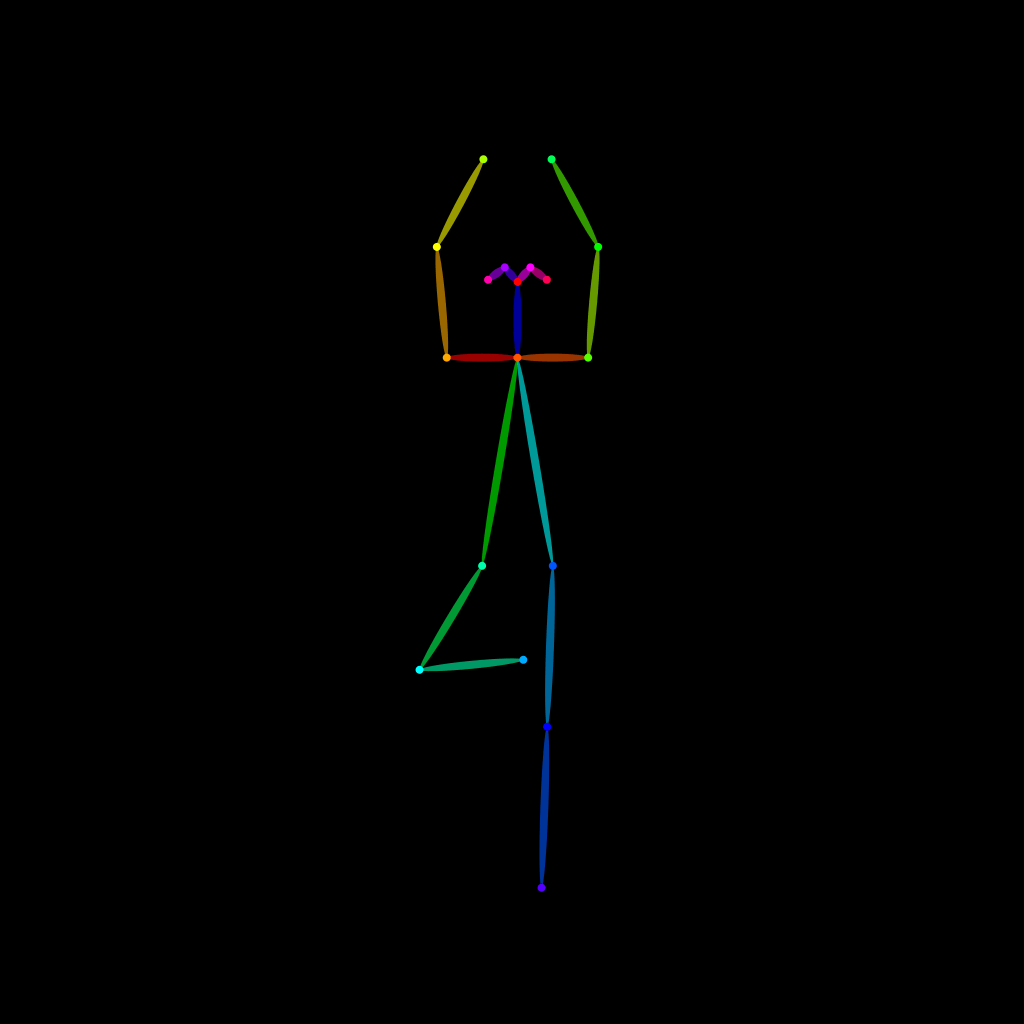
Copy a prompt for your AI image generator. Pair it with the OpenPose skeleton in ControlNet so the generated character matches this exact pose.
General prompt
A person in yoga tree pose, balanced on a straight left leg, right foot pressed into the inner left thigh with the knee opened out to the side, hips level, palms pressed together overhead, arms framing the head, long spine, calm steady gaze, full body, plain background.
Midjourney
full body person in yoga tree pose, vrksasana, standing on straight left leg, right foot on inner thigh, knee open to the side, palms together overhead, relaxed shoulders, long spine, serene calm expression, plain light background --ar 2:3 --style raw
Stable Diffusion
1person, full body, yoga, tree pose, vrksasana, standing on one leg, foot on thigh, bent knee, knee out to side, arms up, palms together, hands above head, straight posture, balance, calm, serene, front view, plain background, simple background
Negative prompt
hip jutting out, knee pointing forward, foot on knee, raised shoulders, hunched shoulders, tilted pelvis, bent standing leg, leaning sideways, arms apart, extra legs, bad hands, missing fingers, deformed anatomy, cropped hands, blurry
OpenPose skeleton for ControlNet
Load the PNG into a ControlNet OpenPose unit (preprocessor: none), or import the JSON into an OpenPose editor.
Free to use (CC0)
The pose images on this page are released under CC0 1.0 (public domain dedication). Use them for drawing practice, commercial illustration, reference sheets or AI image generation; no attribution is required. A credit to PoseMaker is appreciated but optional.
Have a photo of the pose you want?
Upload it to Photo to Pose. We detect the pose in your browser and put it on the mannequin, ready to adjust.