Kneeling on One Knee Pose Reference
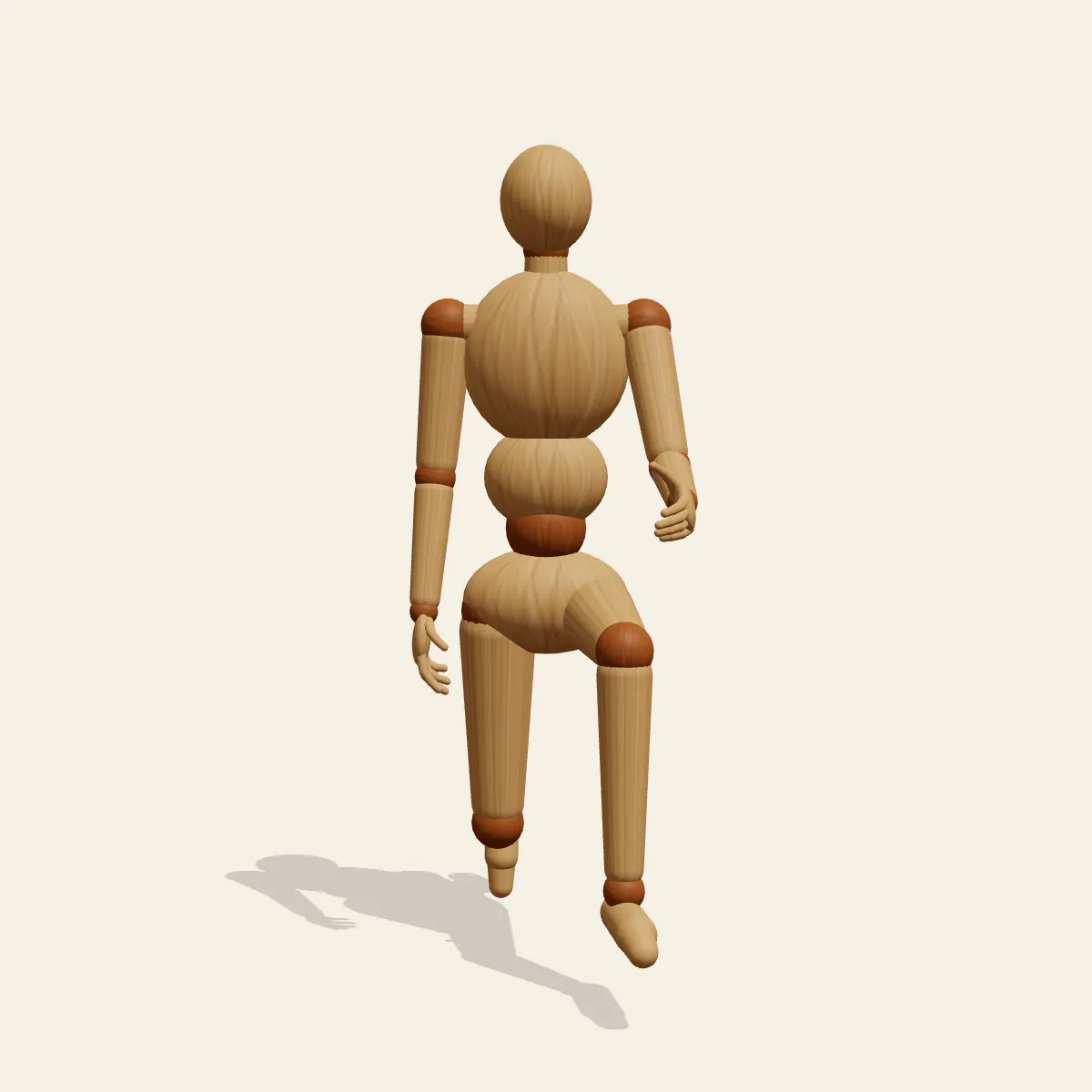
Kneeling on One Knee, right knee down and left foot planted ahead: a kneeling pose reference for proposals, knightly oaths and taking a knee.
- Kneeling Poses
- kneeling
- one knee
- proposal
- knight
- respect
Free for personal and commercial use (CC0). License details
How to draw the Kneeling on One Knee pose
The figure stands on three points: the left foot flat on the floor in front, the right knee, and the tucked toes of the right foot behind it. Two right angles build the front leg, with the shin vertical and the thigh level, so the front knee sits at roughly hip-joint height. The rear thigh slopes down and back from the hip, which places the kneeling knee slightly behind the hip rather than straight under it. The torso stacks upright over the pelvis, the left forearm rests across the left knee, the right arm hangs relaxed and the head stays up. The head reaches about 131 cm and the centre of mass sits near 80 cm, low and settled between the two supports.
Study the side view first. It shows the L of the front leg, the backward slope of the rear thigh, the curled toes and the straight stack of the torso, and it is the quickest way to check proportions. The three-quarter view is the classic proposal camera, letting you see the face, the resting forearm and the front knee together. From the front, the raised knee overlaps the lower belly and the forearm crosses it, so keep those forms in clear front-to-back order. The back view shows the sole of the kneeling foot with the toes bent under; the low angle makes the kneeler look noble, while the high angle makes them look humble or small.
Most broken versions come from three errors. Putting the kneeling knee directly under the hip makes the back thigh vertical, and the figure looks ready to topple forward. Pulling the front foot in too close forces the shin to slant and the knee to jut past the toes. A slumped back undoes the dignity of the pose, so keep the chest open even when the head bows.
The same base serves very different stories: a marriage proposal, a knight swearing an oath before a ruler, an athlete taking a knee on the sideline, or a scout pausing to listen. The mannequin holds nothing, so any ring box or sword is imagined. With Edit this pose, raise the right arm forward and bend the elbow to offer an imagined ring, or bring the right hand onto the hilt of an imagined sword planted point-down in front of the body and tip the head down for a knight.
Kneeling on One Knee pose prompt
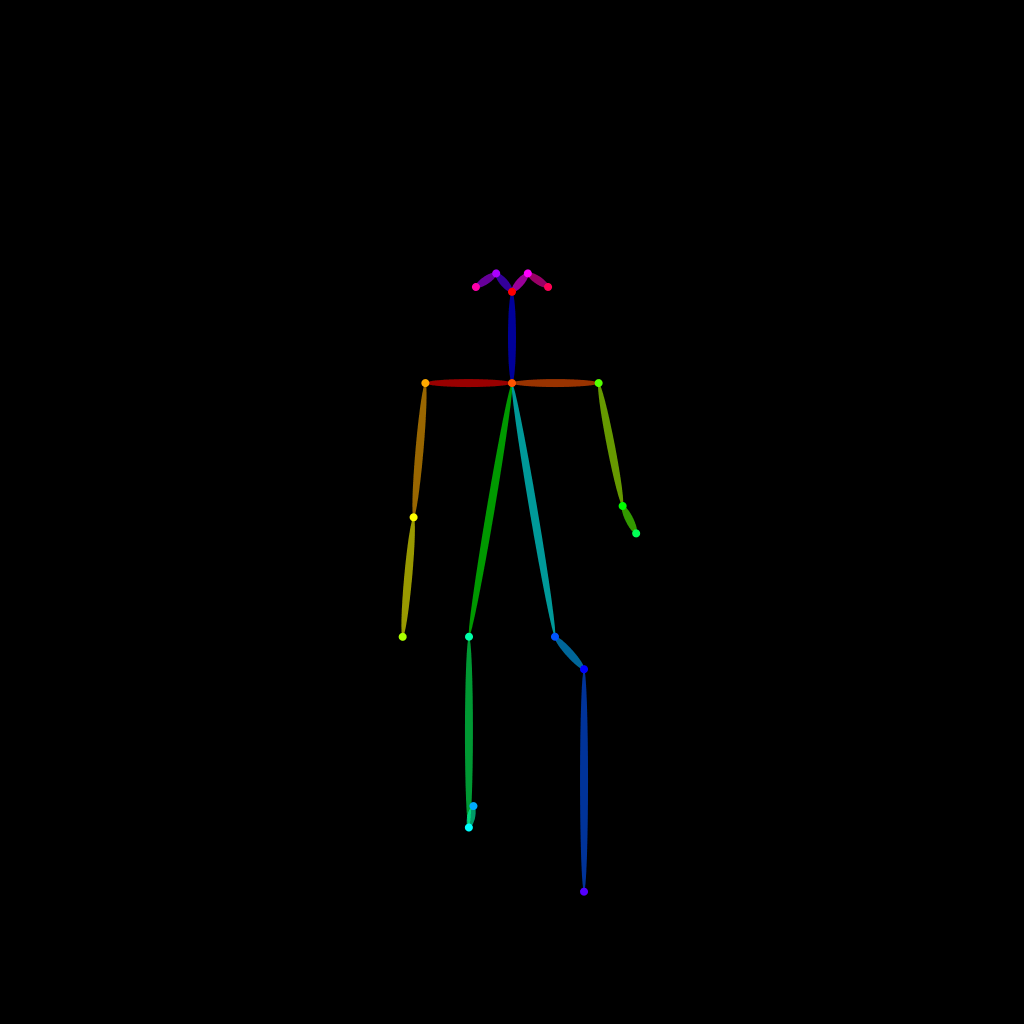
Copy a prompt for your AI image generator. Pair it with the OpenPose skeleton in ControlNet so the generated character matches this exact pose.
General prompt
A person kneeling on the right knee with the left foot planted in front, front shin vertical and thigh level, back toes tucked under, torso upright, left forearm resting on the left knee, right arm relaxed at the side, head up looking ahead, full body, plain background.
Midjourney
full body person kneeling on one knee, right knee on the ground, left foot planted forward, upright back, left forearm resting on knee, right arm relaxed, head raised, respectful proposal pose, plain neutral background, soft studio light --ar 2:3 --style raw
Stable Diffusion
1person, full body, kneeling, on one knee, one knee up, right knee down, left foot forward, toes tucked, upright torso, forearm on knee, arm at side, head up, looking ahead, side view, plain background, simple background
Negative prompt
kneeling on both knees, sitting on heels, slumped back, knee under hip, front foot too close, front knee past toes, flat back foot, head down, extra legs, bad hands, missing fingers, deformed anatomy, cropped feet, blurry
OpenPose skeleton for ControlNet
Load the PNG into a ControlNet OpenPose unit (preprocessor: none), or import the JSON into an OpenPose editor.
Free to use (CC0)
The pose images on this page are released under CC0 1.0 (public domain dedication). Use them for drawing practice, commercial illustration, reference sheets or AI image generation; no attribution is required. A credit to PoseMaker is appreciated but optional.
Have a photo of the pose you want?
Upload it to Photo to Pose. We detect the pose in your browser and put it on the mannequin, ready to adjust.