Pointing at ViewerPose Reference
Camera angles
Pointing at Viewer leans the upper body forward from the hips and drives one straight arm and index finger right at the camera, eyes up.
Tags: upper bodyhand gesturepointingleaning forward
How to draw the Pointing at Viewer pose
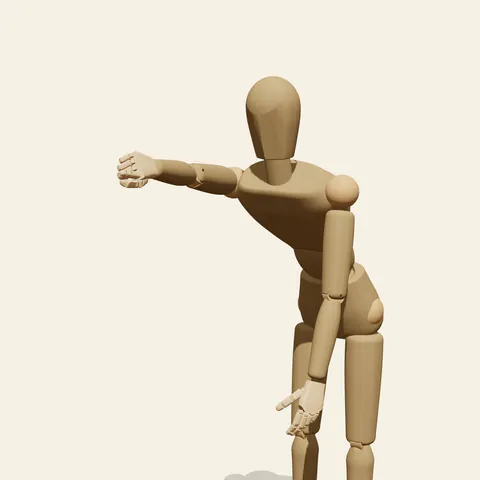
three-quarter view 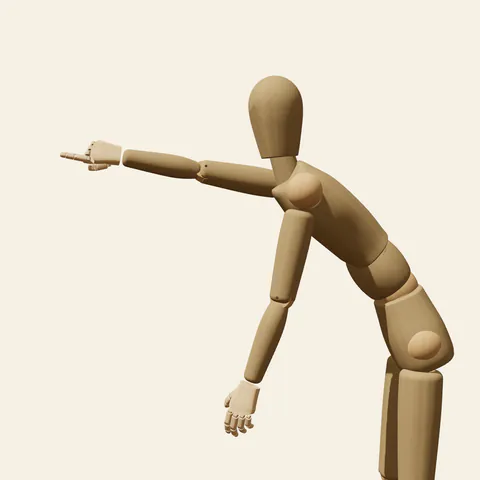
side view 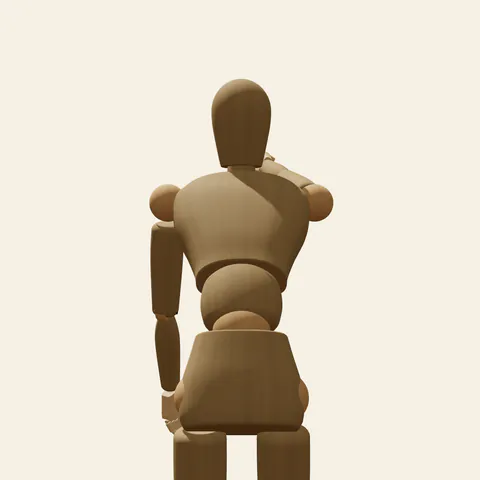
back view 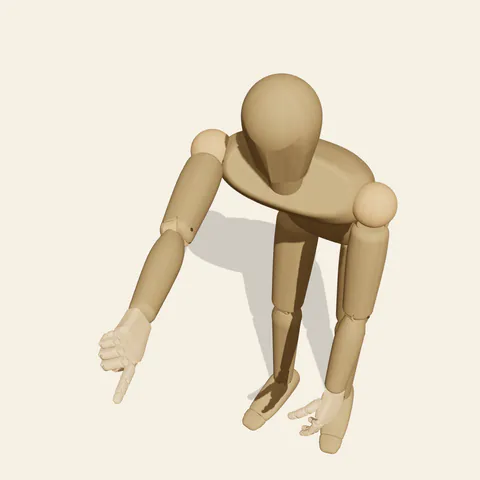
high-angle view
The lean starts low. The hips slide back over straight legs and the torso pitches forward through the lower and middle back, so by the shoulders the body is tipped roughly 45 degrees toward the lens. To keep the face on the viewer, the neck bends strongly backward and the head lifts on top of it, which compresses the back of the neck and pushes the chin out. The right arm comes straight forward from the shoulder with the elbow locked and the wrist in line. Only the index finger is extended; the middle, ring and little fingers curl into the palm and the thumb folds over them, making a small fist behind the pointer. The left arm hangs loose from a dropped shoulder, its relaxed fingers drifting near the front of the thigh, just inside the waist-up frame.
From the front this is a foreshortening exercise. The arm collapses into a stack of overlapping shapes: fingertip, knuckle box, wrist, elbow, shoulder ball, each one larger the closer it is to you. Draw the fingertip first and largest, then tuck the curled fist behind it, and let the head peek above the hand. The side view from the figure's left gives you the opposite: one long horizontal arm line set against the diagonal of the back, the clearest way to check the angle of the lean. The high-angle view looks down across the bent back and rounded shoulders, while from the low angle the straight arm rises past the head with the fingertip at the top of the frame.
More on angles and common mistakes
Common errors are a bent elbow, which softens the jab, an upright torso that leaves the gesture weak, and a face that follows the back down to the floor. Do not draw the pointing finger at its full side-view length when it aims at the lens. The pointing at viewer pose suits fourth-wall breaks, recruitment poster parodies, game show hosts, accusations and "you're next" panels.
In Edit this pose, swap the right hand preset from point to open while keeping the arm aimed at the camera; the leaning figure then reaches out to stop or grab the viewer instead of calling them out.
Free to use (CC0). The pose images on this page are released under CC0 1.0 (public domain dedication). Use them for drawing practice, commercial illustration, reference sheets or AI image generation; no attribution is required. A credit to PoseMaker is appreciated but optional.
Pointing at Viewer pose prompt
Copy a prompt for your AI image generator. Pair it with the OpenPose skeleton in ControlNet so the generated character matches this exact pose.
General prompt
Waist-up view of a person leaning forward from the hips toward the camera, right arm straight out with the index finger pointing directly at the viewer, other fingers curled, left arm hanging loosely, head lifted and eyes looking straight into the lens, plain background.
Midjourney
upper body, person leaning toward camera pointing straight at the viewer, extended arm and index finger in strong foreshortening, curled fingers, head raised with direct eye contact, other arm hanging, plain background --ar 4:5 --style raw
Stable Diffusion
1person, upper body, pointing at viewer, index finger extended, outstretched arm, foreshortening, leaning forward, looking at viewer, head raised, arm hanging, front view, from front, plain background, simple background, dynamic pose, natural proportions
Negative prompt
bent elbow, multiple fingers extended, thumb pointing, pointing sideways, upright torso, looking down, wrong finger count, fused fingers, elongated finger, extra arms, distorted hand, broken wrist, bad anatomy, deformed hands, blurry, nsfw
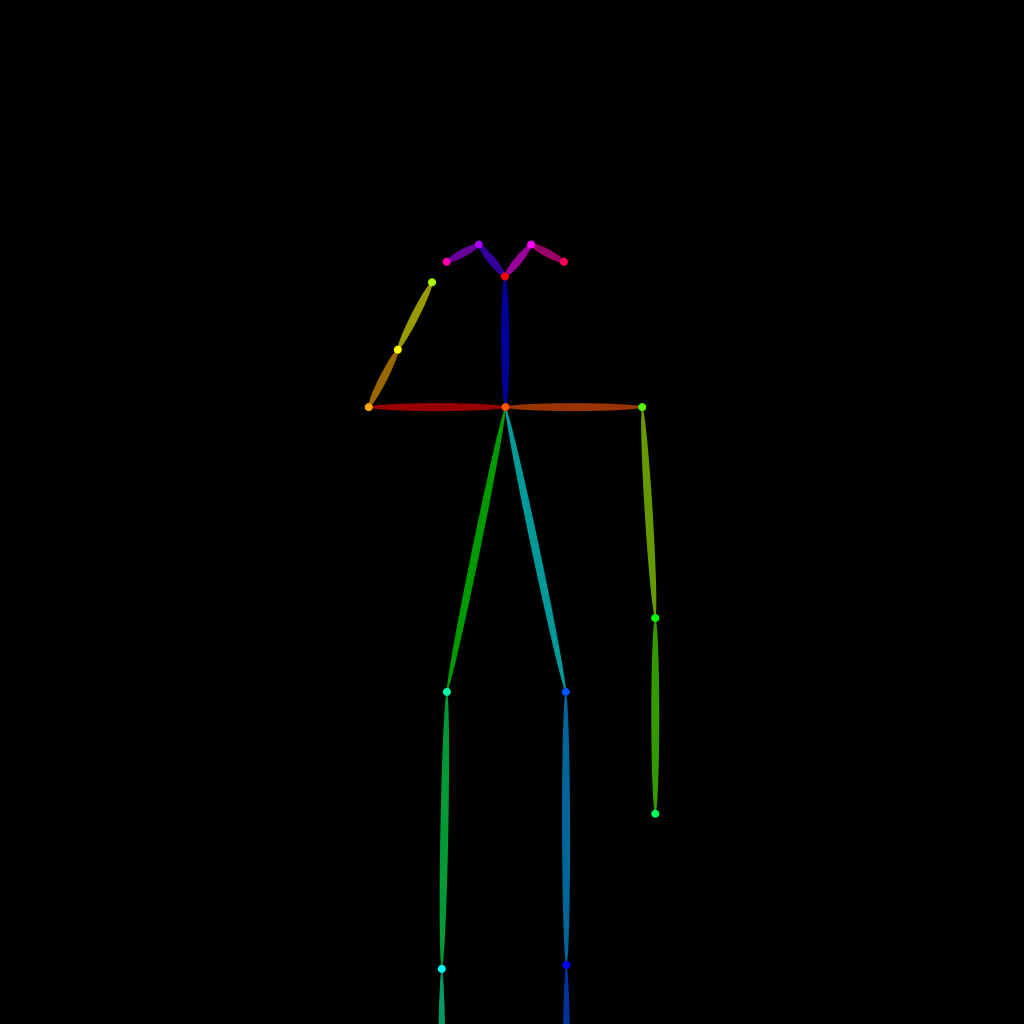
OpenPose skeleton for ControlNet
Load the PNG into a ControlNet OpenPose unit (preprocessor: none), or import the JSON into an OpenPose editor.
Have a photo of the pose you want?
Upload it to Photo to Pose. We detect the pose in your browser and put it on the mannequin, ready to adjust.