Climbing Reach Pose Reference
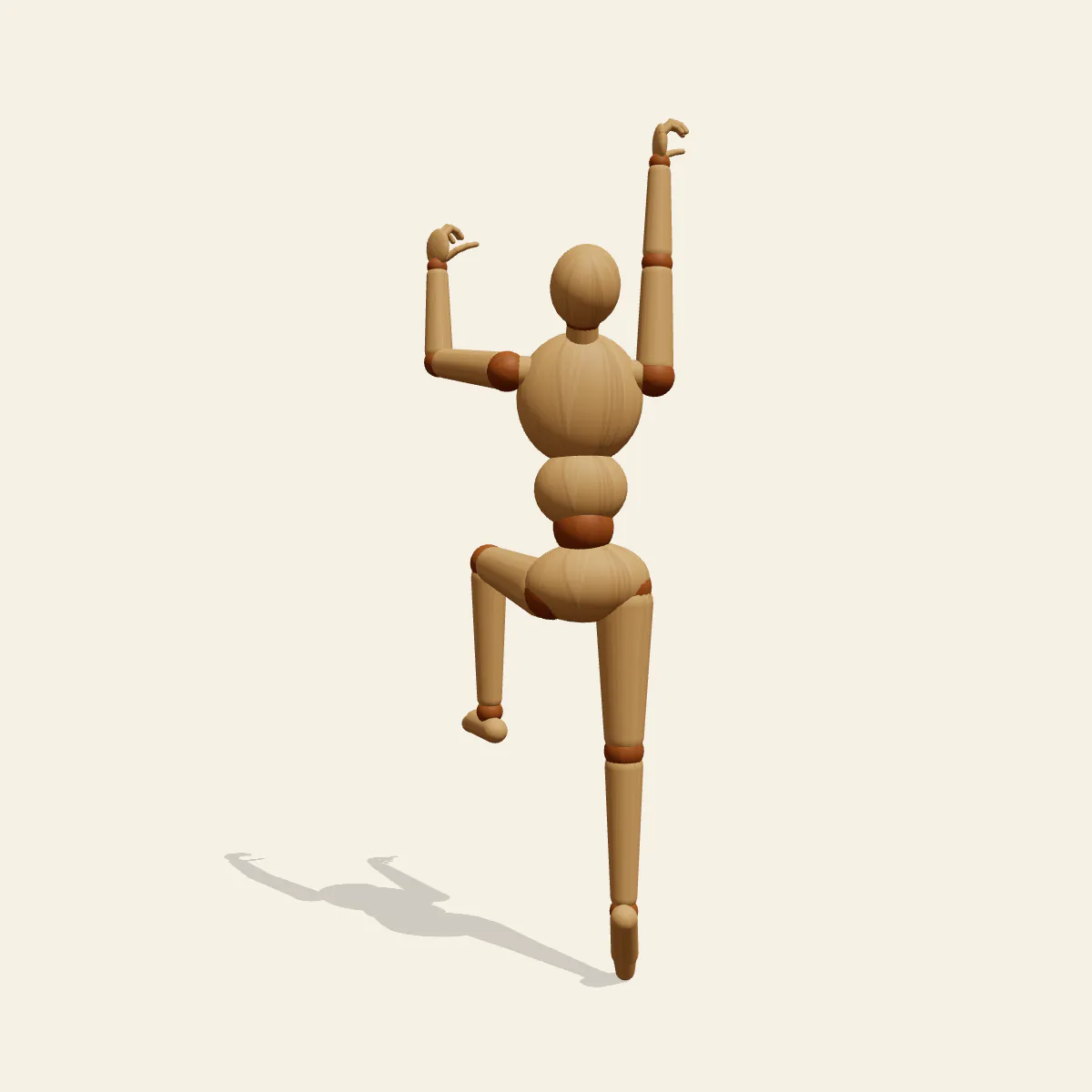
Climbing Reach, seen from behind: the right arm stretches high for the next hold while the left knee lifts to a foothold. A climbing pose reference.
- Action Poses
- action
- climbing
- rock climbing
- reaching
- wall
Free for personal and commercial use (CC0). License details
How to draw the Climbing Reach pose
Climbers move in diagonals, and this pose shows it plainly. The left foot, high on its foothold with the knee lifted, pushes the body upward, and that drive travels across the trunk into the right arm reaching long and straight for the next hold. Meanwhile the left hand grips high beside the head with the elbow bent, and the right leg stretches down onto its toes. Opposite hand and foot do the work, so the weight stays centred between them instead of swinging away from the wall.
The wall itself is not shown, so imagine a vertical plane just in front of the chest and keep the hips and torso close to it. The head tilts back to look at the target hold, which shows the underside of the jaw from below and the back of the skull from behind. With the head at about 167 cm and the centre of mass near 121 cm, the figure is stretched almost to full length along its right side and compressed on the left: the right ribs open out while the left side folds around the raised knee.
The front view, which here shows the climber from behind, is the main reference and the one most climbing scenes use. You see the reaching arm, the shoulder blade sliding up with it, the bent left elbow and the lifted knee in one readable silhouette. The side view tells you how close to the wall the body sits and how far the high knee comes forward. The low angle, looking up past the feet, makes the reach feel exposed and heroic, while the high angle looks down onto the back of the head and the lifted knee as if from the next ledge. The back view, taken from inside the imagined wall, is useful mainly for understanding the chest and face.
Avoid drawing both arms reaching at once; with nothing gripping, the body has no anchor. Keep the climber close to the rock, and put the stretched foot on its toes rather than flat. The pose works for bouldering, alpine routes, a thief scaling a building, an escape over a fence or a hero hauling up a cliff edge. In Edit this pose, mirror it to get the next move in the sequence, then set the two versions side by side to storyboard the climb.
Climbing Reach pose prompt
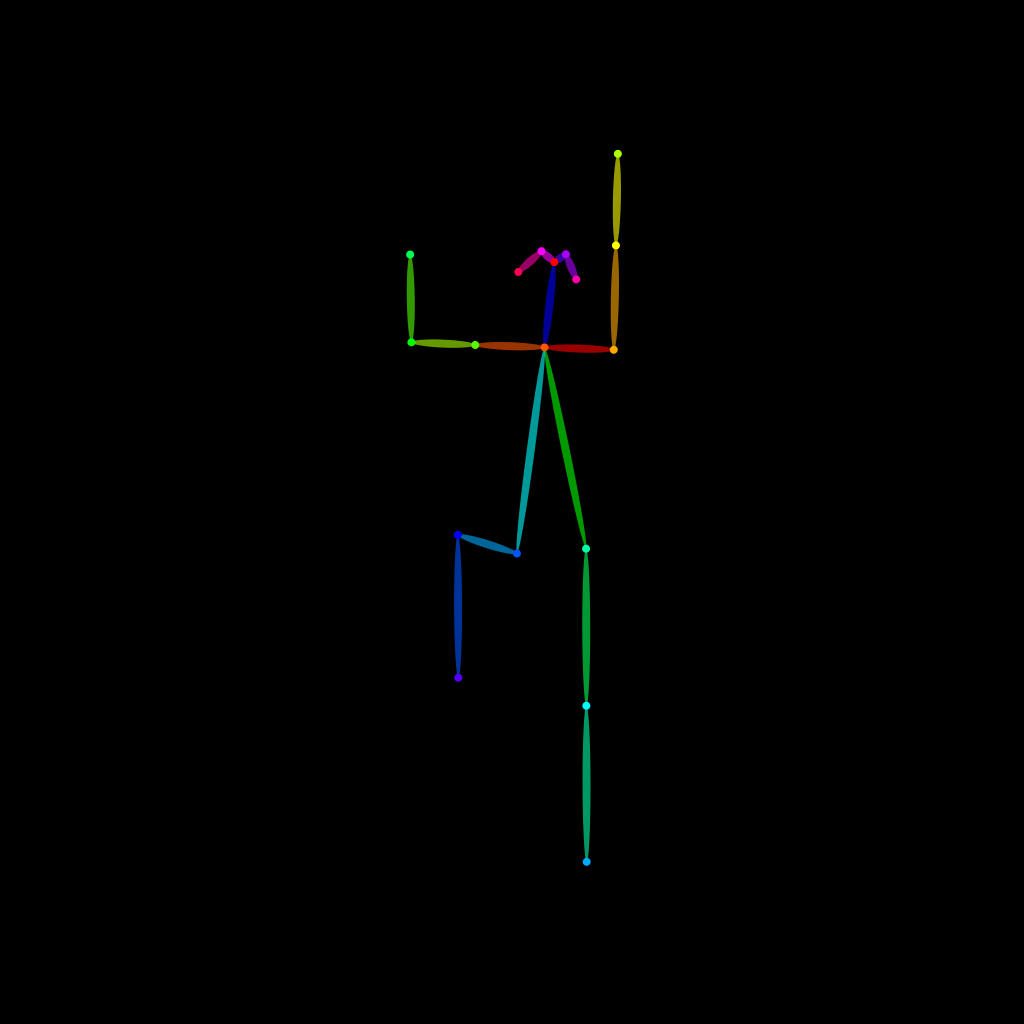
Copy a prompt for your AI image generator. Pair it with the OpenPose skeleton in ControlNet so the generated character matches this exact pose.
General prompt
A person climbing a wall seen from behind, right arm reaching high and straight for a hold, left hand gripping high beside the head with elbow bent, left knee lifted high to a foothold, right leg stretched down onto the toes, head tilted back looking up, full body, plain background.
Midjourney
full body rock climber seen from behind, right arm reaching up straight, left hand gripping high beside the head, left knee raised high, right leg extended on tiptoe, head tilted back looking at next hold, body close to wall, plain background --ar 2:3 --style raw
Stable Diffusion
1person, full body, climbing, rock climbing, from behind, back view, reaching up, arm up, one arm raised, bent elbow, knee up, one leg raised, on tiptoes, looking up, head tilted back, athletic, plain background, simple background
Negative prompt
both arms raised, both feet flat, standing on ground, body far from wall, facing viewer, hanging from arms, straight legs together, extra arms, bad hands, missing fingers, deformed anatomy, cropped hands, cropped feet, blurry
OpenPose skeleton for ControlNet
Load the PNG into a ControlNet OpenPose unit (preprocessor: none), or import the JSON into an OpenPose editor.
Free to use (CC0)
The pose images on this page are released under CC0 1.0 (public domain dedication). Use them for drawing practice, commercial illustration, reference sheets or AI image generation; no attribution is required. A credit to PoseMaker is appreciated but optional.
Have a photo of the pose you want?
Upload it to Photo to Pose. We detect the pose in your browser and put it on the mannequin, ready to adjust.