Basketball Jump Shot Pose Reference
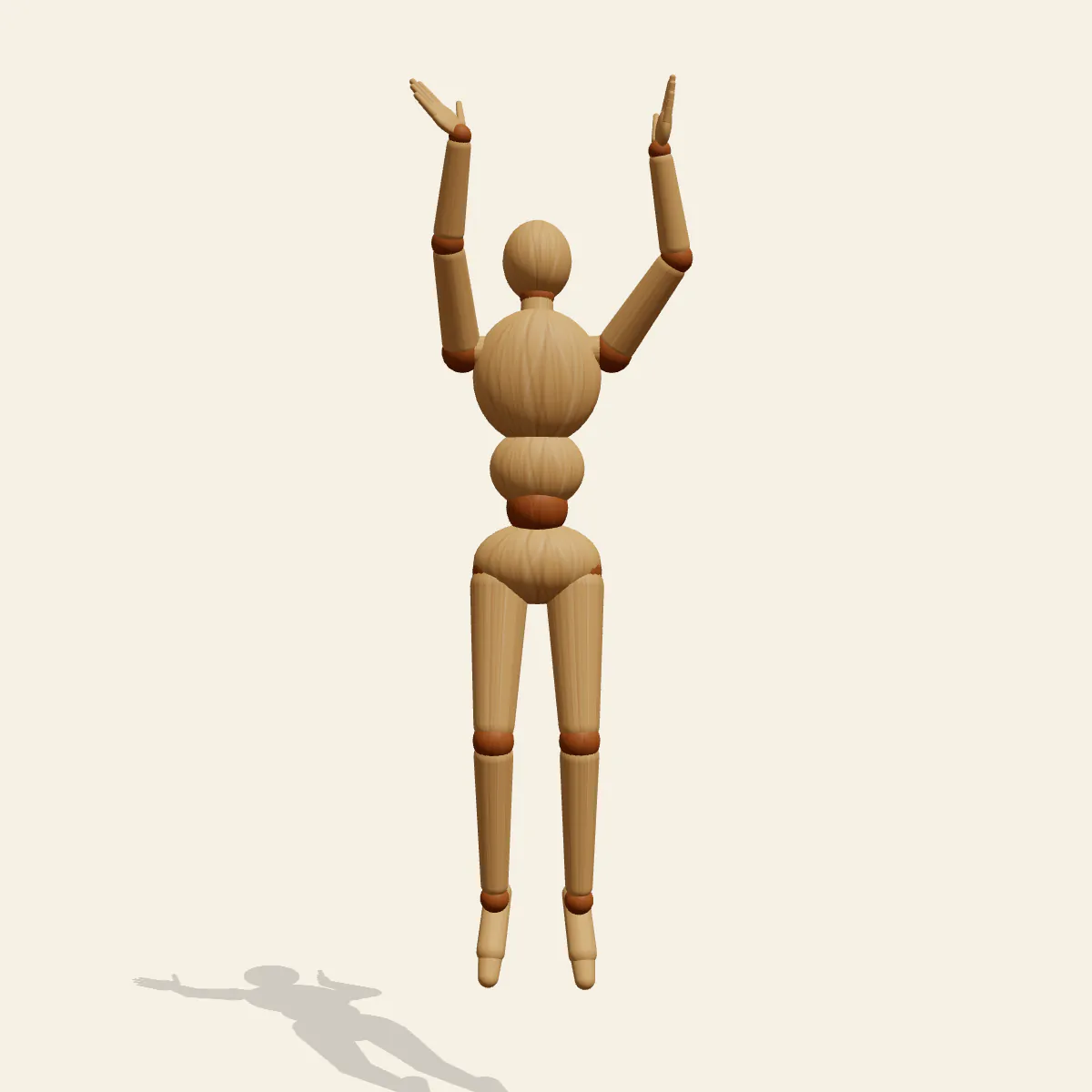
Basketball Jump Shot at the peak of the leap: right shooting arm extended high, left guide hand at the side of an imagined ball, eyes on the rim.
- Sports Poses
- sports
- basketball
- jump shot
- shooting
- airborne
Free for personal and commercial use (CC0). License details
How to draw the Basketball Jump Shot pose
Timing defines this moment. The player has left the floor and hangs 42 cm in the air at the top of the jump, a split second before release. The right arm extends upward with the wrist cocked and about to snap, the left guide hand rests against the side of the ball, and both elbows stay in. The body is vertical and square to the hoop, the legs hang straight down with the knees slightly flexed and the toes pointed, and the eyes stay locked on the rim.
Neither the ball nor the hoop appears in the image, so place them yourself. Draw the ball as a circle just above and in front of the forehead, balanced on the right fingertips with the left palm on its side; the guide hand steers but does not push. The hoop sits off-frame along the line of the gaze. With the head about 209 cm off the floor and the centre of mass about 158 cm, leave a clear gap under the feet and a small shadow on the court, or the shot reads as a set shot taken flat-footed.
The front view is the defender's view: the shooting arm rises straight in front of the face, the elbow sits under the ball, and the guide hand frames it from the side. The side view proves the body is vertical rather than drifting back and shows the knee flex. The back view looks over the shooter's shoulder toward the imagined hoop, a strong storytelling shot for a game-winning moment. The low angle exaggerates elevation for a poster, and the high angle, looking down from rim height, puts the face and the ball together.
The shooting elbow flared out to the side is the most common error, and the front view exposes it at once. Also avoid leaning the torso backward, unless a fadeaway is what you mean, and tucking the guide hand underneath the ball, where it would push the shot off line. The pose is ready for sports posters, team illustrations, basketball manga, game card art and coaching diagrams. In Edit this pose, bend the right wrist down and drop the guide hand away to draw the follow-through a split second later.
Basketball Jump Shot pose prompt
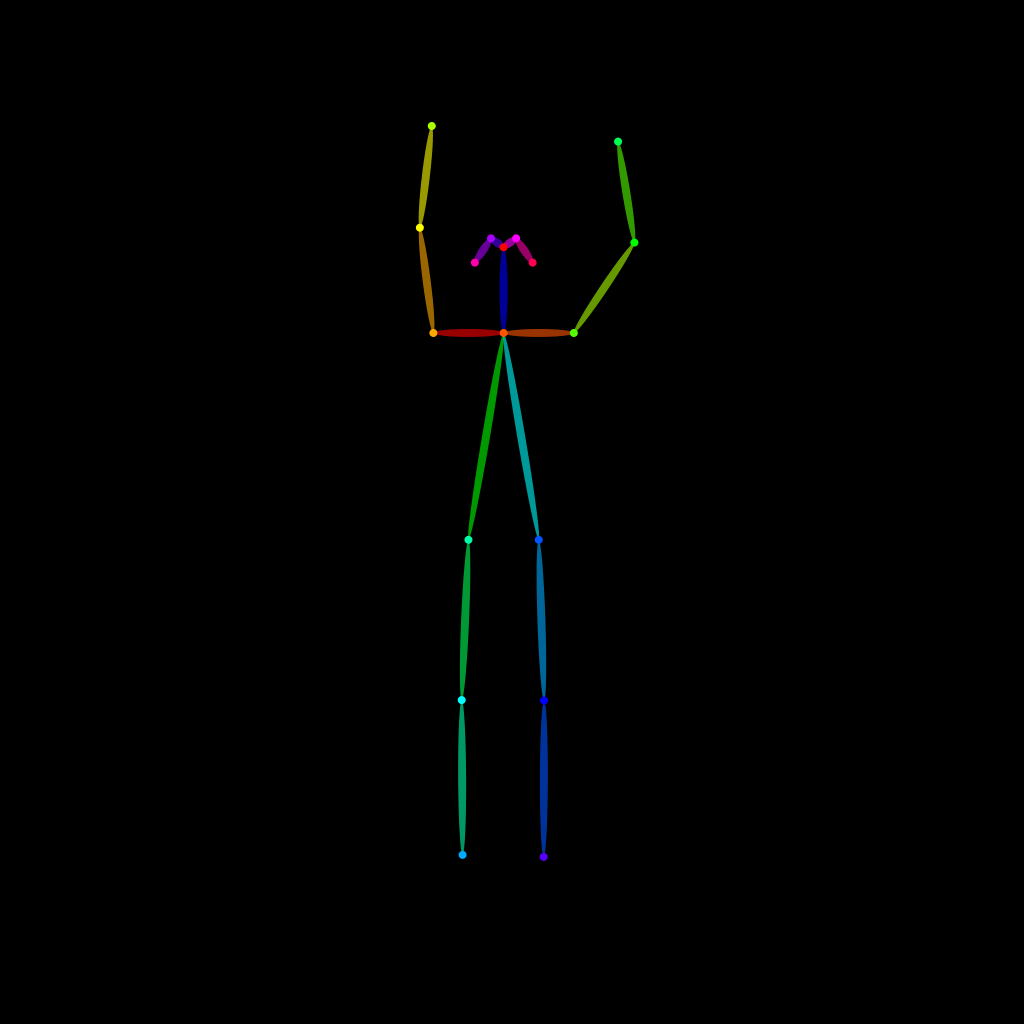
Copy a prompt for your AI image generator. Pair it with the OpenPose skeleton in ControlNet so the generated character matches this exact pose.
General prompt
A basketball player at the top of a jump shot in mid-air, right shooting arm extended upward with the wrist about to snap, left guide hand on the side of the ball, elbows in, body vertical and square, legs straight down with knees slightly bent and toes pointed, eyes on the rim, full body, plain background.
Midjourney
full body basketball player mid-air jump shot, right arm extended up releasing the ball, left guide hand on side of ball, elbows tucked, vertical body, legs hanging straight, pointed toes, eyes on the rim, gap above floor, plain background --ar 2:3 --style raw
Stable Diffusion
1person, full body, basketball, jump shot, shooting, holding basketball, midair, jumping, airborne, arm up, arms raised, elbows in, ball above head, vertical body, pointed toes, looking up, focused, front view, shadow on floor, plain background, simple background
Negative prompt
flared shooting elbow, leaning backward, guide hand under ball, feet on floor, two-handed chest pass, dunking, bent torso, ball missing, extra arms, extra balls, bad hands, missing fingers, deformed anatomy, cropped feet, blurry
OpenPose skeleton for ControlNet
Load the PNG into a ControlNet OpenPose unit (preprocessor: none), or import the JSON into an OpenPose editor.
Free to use (CC0)
The pose images on this page are released under CC0 1.0 (public domain dedication). Use them for drawing practice, commercial illustration, reference sheets or AI image generation; no attribution is required. A credit to PoseMaker is appreciated but optional.
Have a photo of the pose you want?
Upload it to Photo to Pose. We detect the pose in your browser and put it on the mannequin, ready to adjust.