Legs Out, Hand on KneePose Reference
Camera angles
Legs Out, Hand on Knee: a sitting hand on knee pose with the right hand reaching to its own knee, the left arm propping behind and the gaze lowered.
Tags: sittingfloorlegs outhand on kneefull body
How to draw the Legs Out, Hand on Knee pose
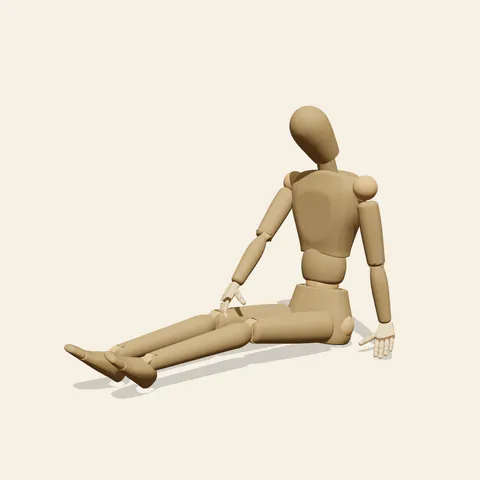
three-quarter view 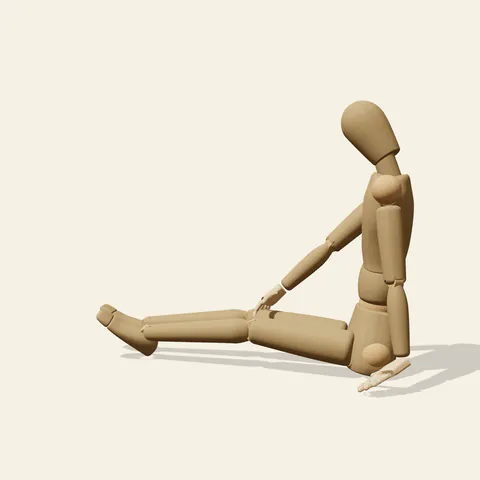
side view 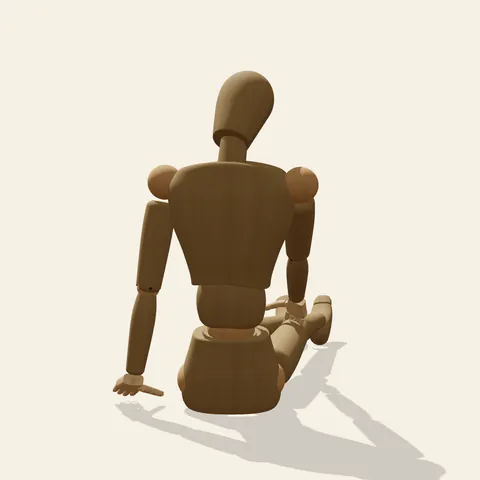
back view 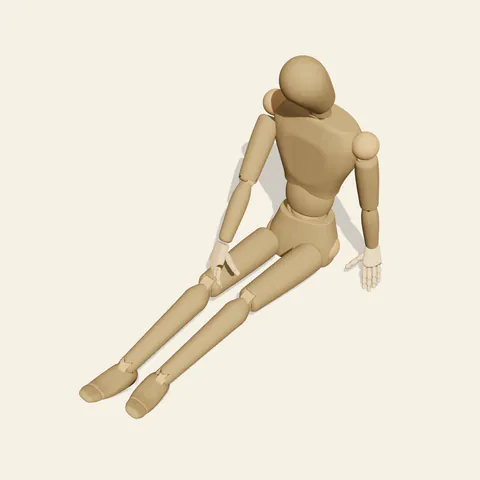
high-angle view
The legs stretch forward with the knees slightly bent, the right leg angled a little outward from the left so they are not glued together. The left arm locks straight and sets its palm behind the hip, holding up a torso that leans back only a little. The right arm does the opposite job: it reaches forward and down, nearly straight, until the hand settles on top of the right knee. To make that reach, the chest and shoulders turn slightly toward the right leg, and the neck bends forward and rotates so the face looks down at the hand. Arms going in opposite directions, one back to the floor and one forward to the knee, give the figure its gentle spiral.
Picture a long line from the left palm through the shoulders to the right hand, crossing the torso diagonally; the head hangs over the forward end of it. The side view from the figure's left shows the prop arm as a strut close to the camera and the reaching arm parallel to the right thigh beyond it. The front view foreshortens the legs and shows the turn of the shoulders, with the left palm just visible on the floor beside the hip. The three-quarter view is the most readable overall. From behind, the slight twist of the upper back against the square pelvis is easiest to judge.
More on angles and common mistakes
Because the hand stays on the same side, the reaching arm never crosses the body; drawing it across to the far knee turns this into a different gesture. Keep the reaching elbow soft but not bent sharply, or the shoulder will drop and the figure will look slumped. The prop arm must stay straight. The face points at the knee, not at the viewer. As a wooden mannequin it has no ground, blanket or clothes, so dusting off a trouser leg or brushing away sand is an action you can imagine in.
Useful for park and picnic scenes, a character checking a scraped knee, stretching breaks and quiet conversation panels. In Edit this pose, slide the right hand down toward the ankle and fold the torso forward for a hamstring-stretch variant.
Free to use (CC0). The pose images on this page are released under CC0 1.0 (public domain dedication). Use them for drawing practice, commercial illustration, reference sheets or AI image generation; no attribution is required. A credit to PoseMaker is appreciated but optional.
Legs Out, Hand on Knee pose prompt
Copy a prompt for your AI image generator. Pair it with the OpenPose skeleton in ControlNet so the generated character matches this exact pose.
General prompt
A person sits on the floor with both legs stretched forward, knees softly bent. One hand reaches forward to rest on the knee of the same side, while the other straight arm props the body from behind, palm flat. The torso turns slightly toward the reaching hand and the head looks down at the knee.
Midjourney
full body person sitting on the floor, legs extended forward, knees softly bent, one hand resting on the same-side knee, other straight arm propped behind, torso turned slightly, looking down at knee, quiet focused mood, plain background --ar 3:2 --style raw
Stable Diffusion
1person, full body, sitting, sitting on floor, legs forward, knees slightly bent, hand on knee, reaching forward, arm support, hand on floor, straight arm, looking down, head down, slight twist, three quarter view, plain background, simple background
Negative prompt
arm across body, hand on far knee, looking at viewer, both hands on floor, bent support arm, legs to side, knees up, cross-legged, slouching, floating hand, extra arms, extra fingers, bad anatomy, cropped feet, chair
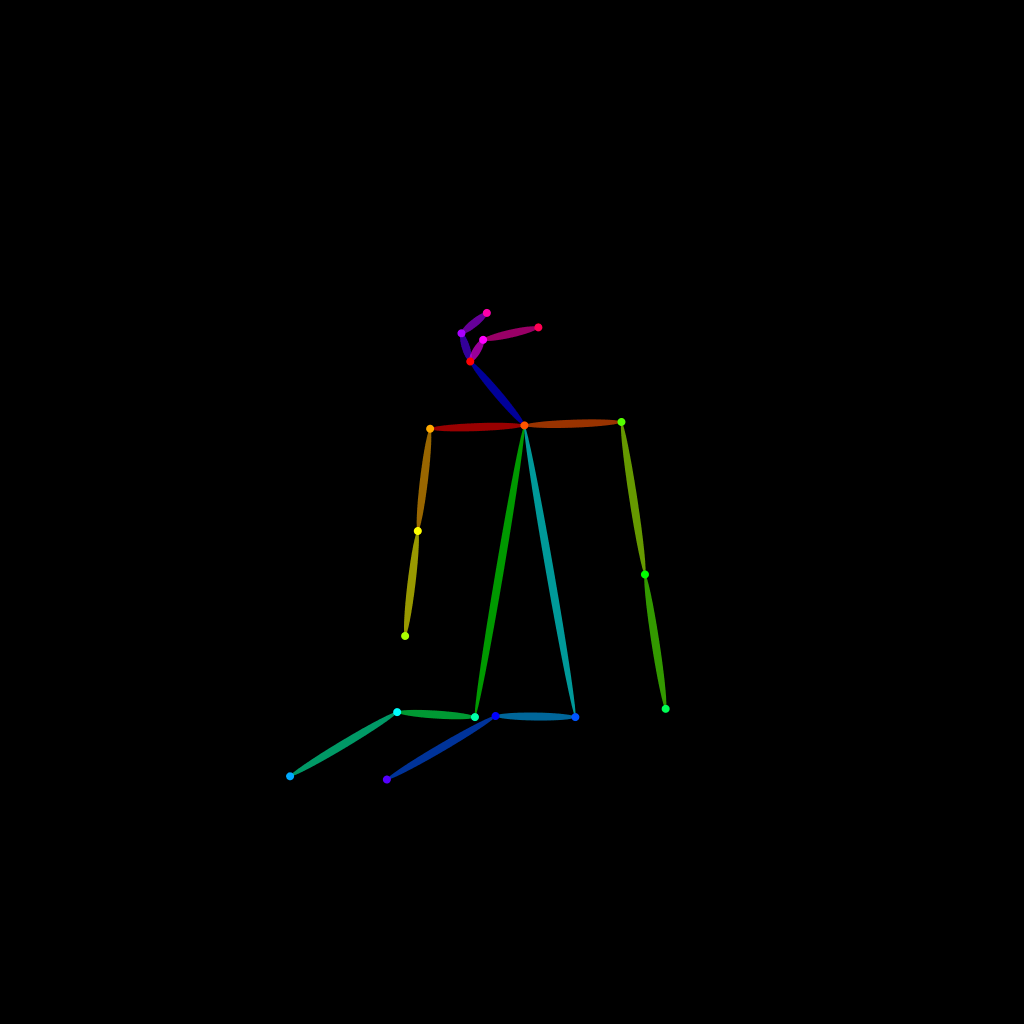
OpenPose skeleton for ControlNet
Load the PNG into a ControlNet OpenPose unit (preprocessor: none), or import the JSON into an OpenPose editor.
Have a photo of the pose you want?
Upload it to Photo to Pose. We detect the pose in your browser and put it on the mannequin, ready to adjust.