Legs Out, Hand on HipPose Reference
Camera angles
A sitting legs out hand on hip pose: legs swept to the figure's left, the right arm propping, the left elbow cocked out and the head bowed to look down.
Tags: sittingfloorhand on hiplegs to one sidefull body
How to draw the Legs Out, Hand on Hip pose
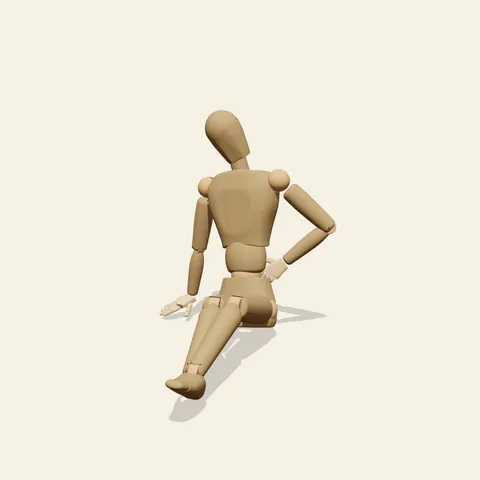
three-quarter view 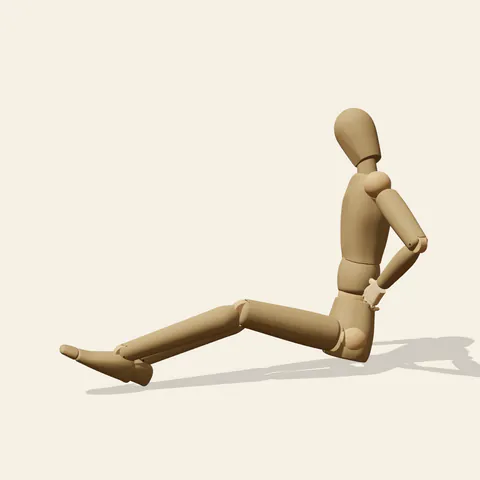
side view 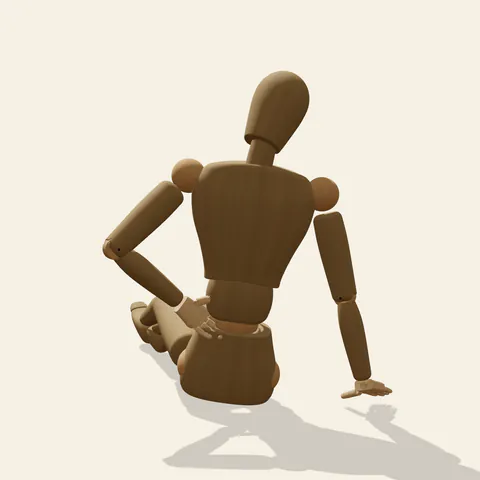
back view 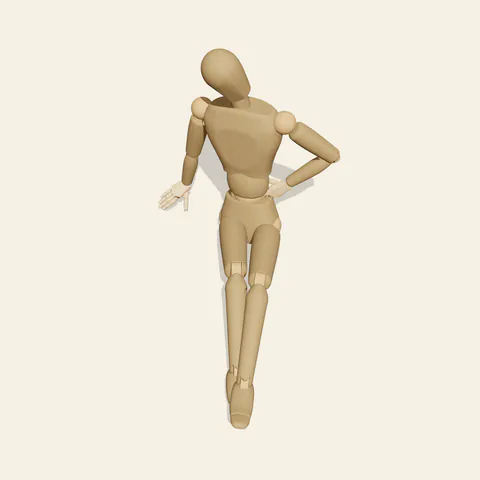
high-angle view
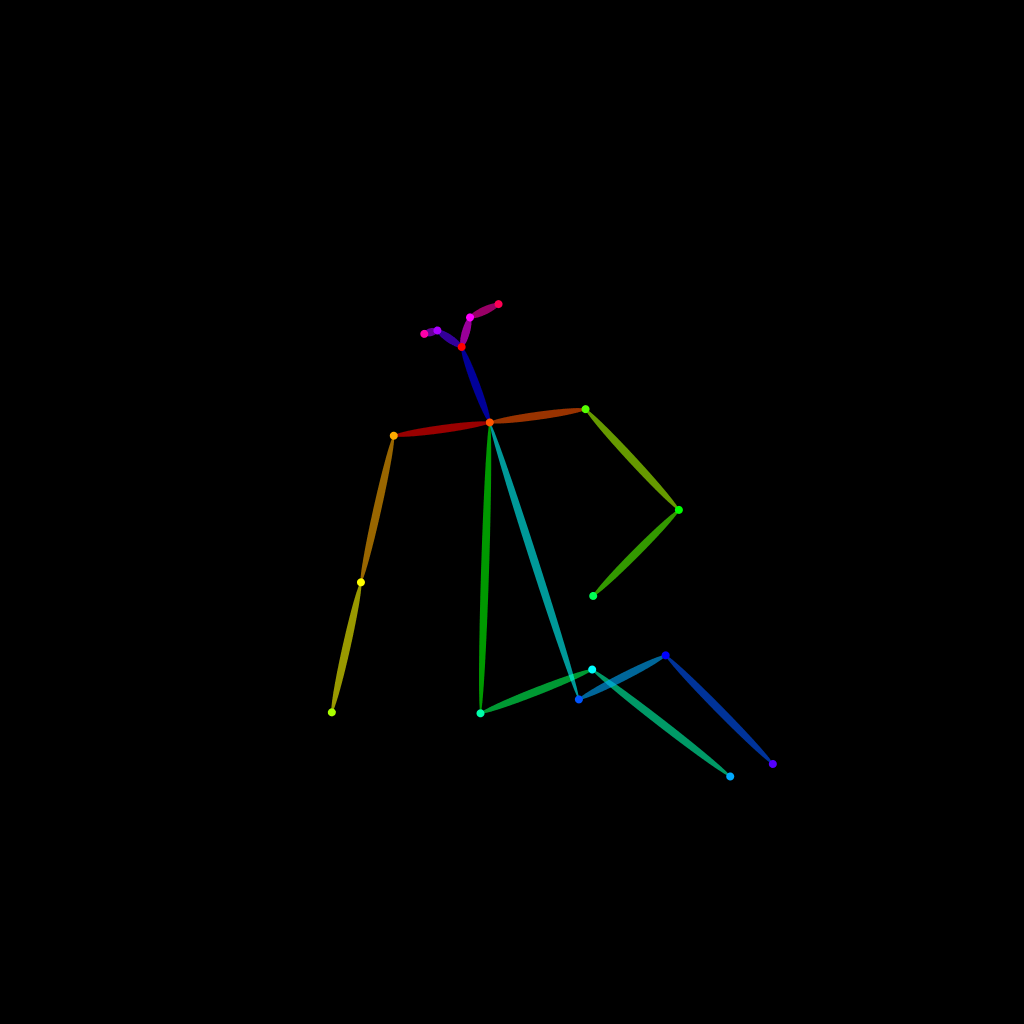
The legs take the same sideways route as a classic side-leaning seat, stretched diagonally forward to the left with soft knees and the heels on the floor, the outer foot splayed a little. What changes the character is the left arm. Instead of resting on a knee, its hand sits on the waist with the elbow pushed out to the side, so the arm makes a sharp triangle against the ribs. The right arm is the only support, locked straight with the palm flat beside the hip. Above it the neck bends forward and to the right, bringing the face down toward the supporting side, eyes on the floor. The result is self-contained and a little moody.
Start with the two triangles that frame the torso: the cocked left arm on one side and the bracing right arm with the floor on the other. Their sizes should differ, the support triangle long and narrow, the hip triangle short and wide. The front view shows both at once and is the easiest place to place the bowed head between them. The three-quarter view from the front left shows the elbow flaring out beyond the torso while the swept legs run toward the camera. From the figure's left the cocked arm narrows into a V against the side of the body, its elbow pointing back. The back view shows the full lean down the right arm, and the low angle looks up under the bowed face.
More on angles and common mistakes
Keep the hand on the waist, above the hip bone; sliding it down onto the thigh reads as resting rather than posing. If the elbow folds in against the body the triangle disappears. Do not let the head lift to the camera: the downward look is what separates this from the more confident variants. The figure is a bare wooden mannequin, so the floor, fabric bunching at the waist and any hair falling forward are imagined.
It suits fashion and editorial sketches, introspective comic beats, a character pausing on a studio floor, or a lighting study where the bowed head casts shadow over the chest. In Edit this pose, raise the head and turn it toward the camera to change the mood from inward to self-assured.
Free to use (CC0). The pose images on this page are released under CC0 1.0 (public domain dedication). Use them for drawing practice, commercial illustration, reference sheets or AI image generation; no attribution is required. A credit to PoseMaker is appreciated but optional.
Legs Out, Hand on Hip pose prompt
Copy a prompt for your AI image generator. Pair it with the OpenPose skeleton in ControlNet so the generated character matches this exact pose.
General prompt
A person sits on the floor with both legs stretched diagonally to one side, knees softly bent. One straight arm props the body with the palm flat beside the hip; the other hand rests on the waist with the elbow out. Head bows toward the supporting side, looking down. Plain background.
Midjourney
full body person sitting on the floor, legs extended diagonally to one side, propped on one straight arm, other hand on waist with elbow out, head bowed toward support arm, looking down, introspective editorial mood, plain background --ar 3:2 --style raw
Stable Diffusion
1person, full body, sitting, sitting on floor, legs to side, knees slightly bent, arm support, hand on floor, hand on hip, elbow out, head down, looking down, head tilt, leaning to side, front view, plain background, simple background
Negative prompt
looking at viewer, head up, hand on thigh, elbow against body, both hands on floor, legs straight forward, cross-legged, kneeling, bent support arm, floating hand, extra arms, extra fingers, bad anatomy, cropped feet, chair
OpenPose skeleton for ControlNet
Load the PNG into a ControlNet OpenPose unit (preprocessor: none), or import the JSON into an OpenPose editor.
Have a photo of the pose you want?
Upload it to Photo to Pose. We detect the pose in your browser and put it on the mannequin, ready to adjust.