Self HugPose Reference
Camera angles
Self Hug folds both arms across the chest, each hand gripping the opposite upper arm about midway, shoulders drawn in and the head bowed a little.
Tags: upper bodyhand gestureself hugarms crossed
How to draw the Self Hug pose
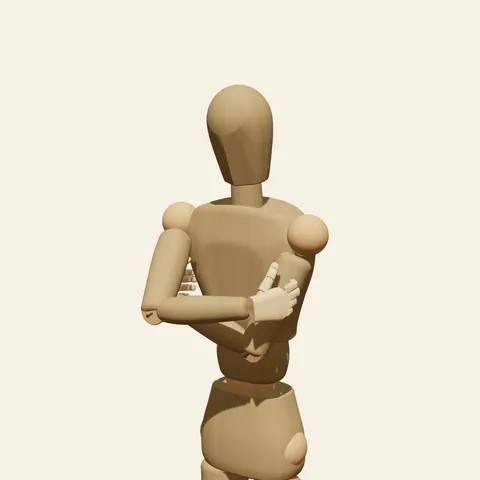
three-quarter view 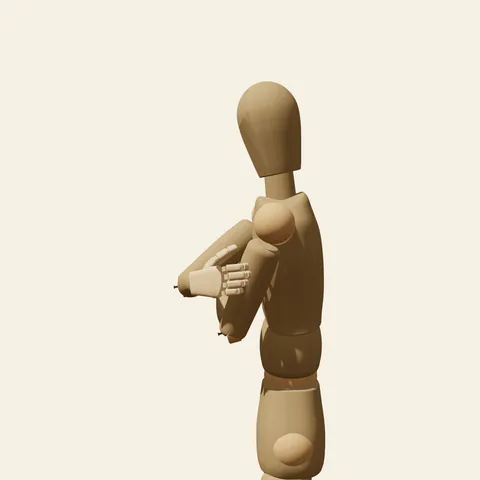
side view 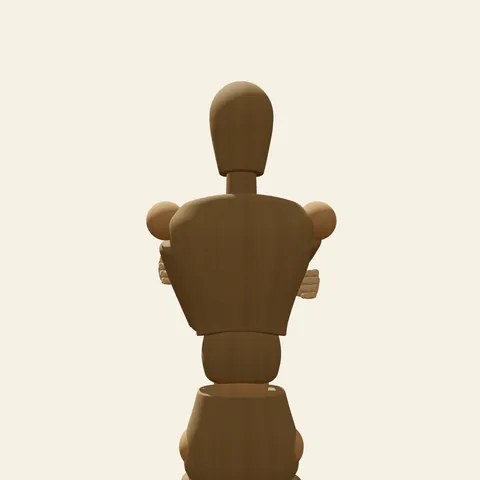
back view 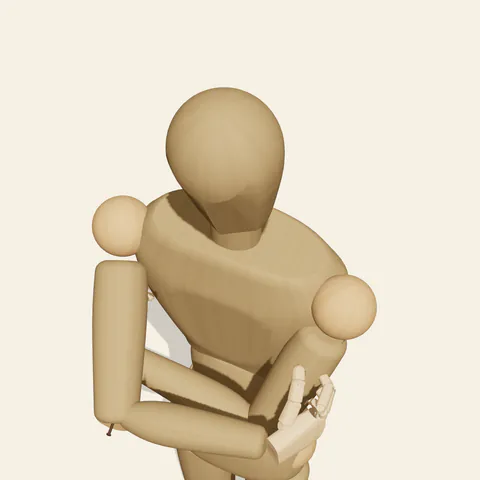
high-angle view
The upper arms stay down along the ribs, and the forearms cross at slightly different heights, the right forearm stacked in front of the left. Each hand wraps around the opposite upper arm about halfway between shoulder and elbow: the four fingers bend moderately at every joint and curl around the outside of the upper arm, while the thumb stays on its front surface, so the grip reads as a hold rather than a clutch. The collarbones roll forward and the upper back rounds, drawing the shoulders toward the centre, and the head lowers a few degrees. The whole upper body closes in on itself, which can mean cold, nerves, shyness or quiet comfort. The legs are posed but out of frame, weight on the right leg.
Treat the crossed forearms as a thick horizontal band across the chest made of two overlapping cylinders, with a hand appearing at each end on an upper arm. From the front the fingers show as four short curves on the outside of each arm and the thumbs disappear. The three-quarter view from the figure's front-left shows the near hand wrapping the left upper arm and how the band projects in depth. The side view from the left measures how far the forearms stand off the chest and how much the back rounds. The high angle shows most clearly that the right forearm sits on top, and the back view shows only fingertips at the sides of the arms plus the forward-rolled shoulders.
More on angles and common mistakes
A common confusion is tucking the hands into the armpits, which turns the gesture into an ordinary arms-crossed stance. Elbows that stick out to the sides break the closed silhouette, and a straight spine with shoulders pulled back loses the inward feeling. Placing both forearms at the same height merges them into one shapeless block; keep the step between them. The wooden figure has no sleeves or fabric, so add folds where the hands squeeze.
A self hug pose suits winter street scenes, a rainy bus stop, a nervous wait before an interview and gentle self-comfort moments in emotional comics. In Edit this pose, slide both hands up toward the shoulders and round the back a little more for a tighter, colder hug, or swap the forearms so the left one sits in front.
Free to use (CC0). The pose images on this page are released under CC0 1.0 (public domain dedication). Use them for drawing practice, commercial illustration, reference sheets or AI image generation; no attribution is required. A credit to PoseMaker is appreciated but optional.
Self Hug pose prompt
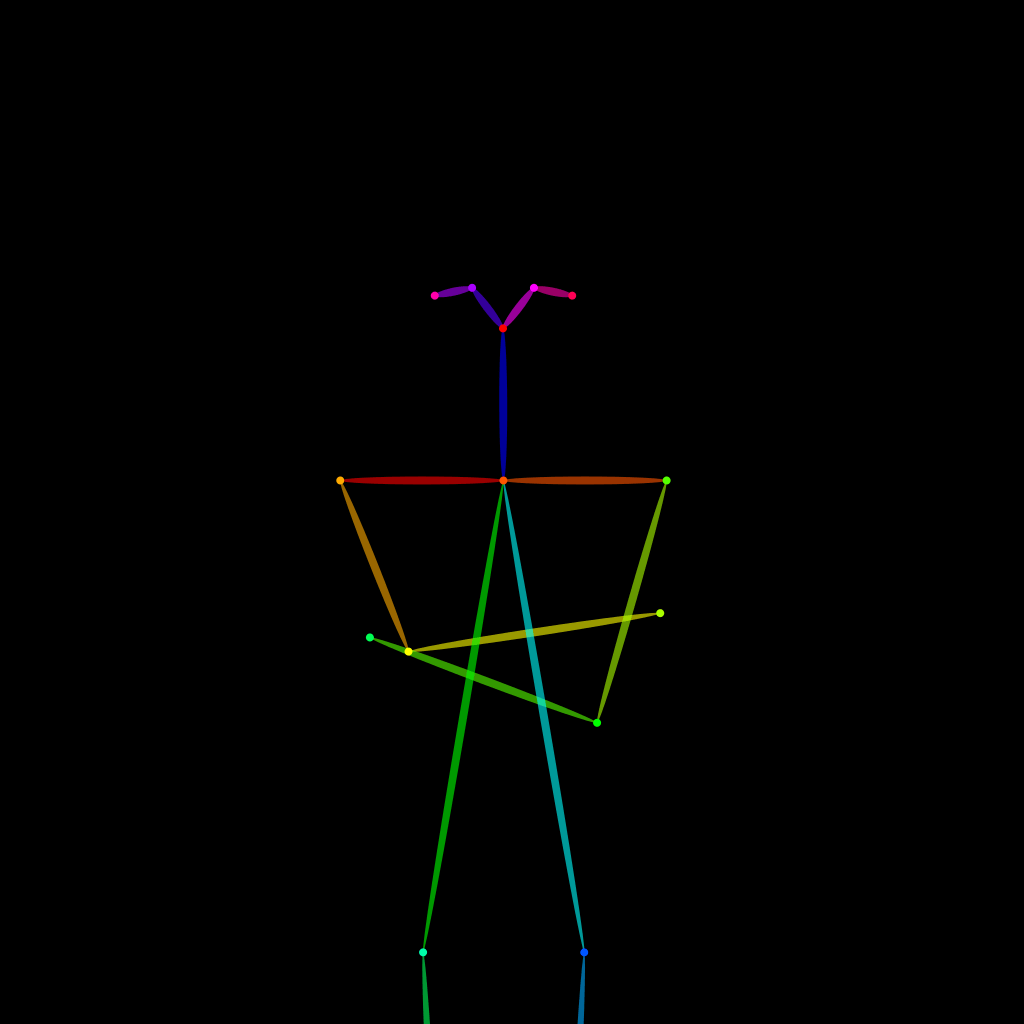
Copy a prompt for your AI image generator. Pair it with the OpenPose skeleton in ControlNet so the generated character matches this exact pose.
General prompt
A waist-up view of a person giving themselves a hug: arms crossed in front of the chest, each hand gripping the opposite upper arm about midway, right forearm in front of the left. Shoulders drawn slightly in, head bowed a little, a cold or shy mood, plain background.
Midjourney
upper body portrait, person hugging themselves, arms crossed over chest, hands gripping opposite upper arms midway, right forearm in front, shoulders drawn in, head slightly bowed, shy cold mood, plain background --ar 4:5 --style raw
Stable Diffusion
1person, upper body, self hug, hugging self, crossed arms, hands on own arms, holding own arm, shoulders hunched, head down, shy, cold, looking down, front view, waist-up shot, plain background, simple background, natural proportions
Negative prompt
hands in armpits, elbows sticking out, arms crossed loosely, straight back, shoulders pulled back, merged forearms, wrong finger count, fused fingers, extra arms, extra hands, full body, nsfw, deformed arms, blurry
OpenPose skeleton for ControlNet
Load the PNG into a ControlNet OpenPose unit (preprocessor: none), or import the JSON into an OpenPose editor.
Have a photo of the pose you want?
Upload it to Photo to Pose. We detect the pose in your browser and put it on the mannequin, ready to adjust.