Finger on CheekPose Reference
Camera angles
Finger on Cheek is a waist-up thinking gesture: one straight index finger presses the cheek below the eye while the other hand props up that raised elbow.
Tags: upper bodyhand gesturefinger on cheekthinking
How to draw the Finger on Cheek pose
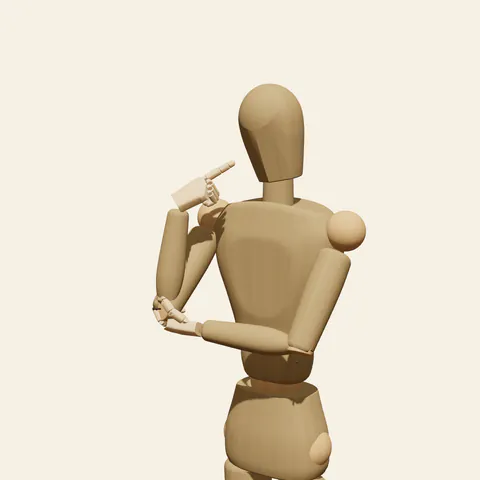
three-quarter view 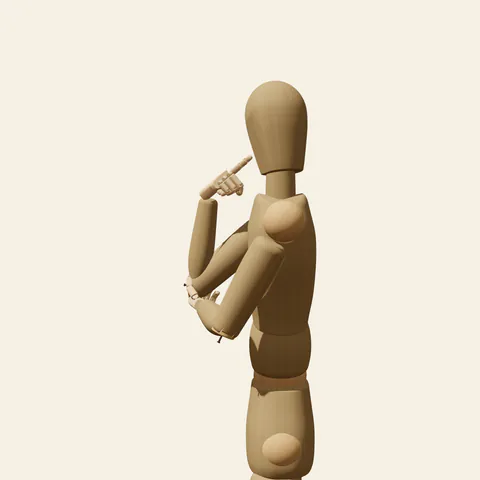
side view 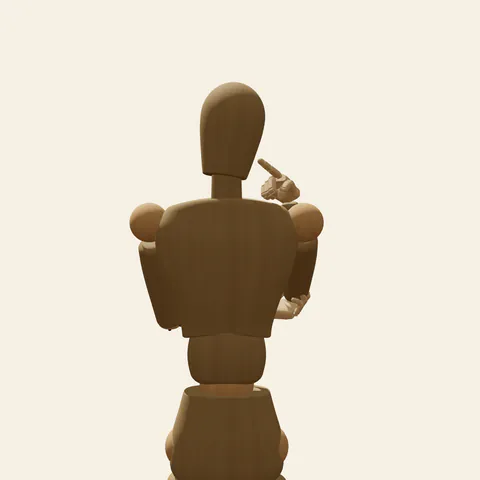
back view 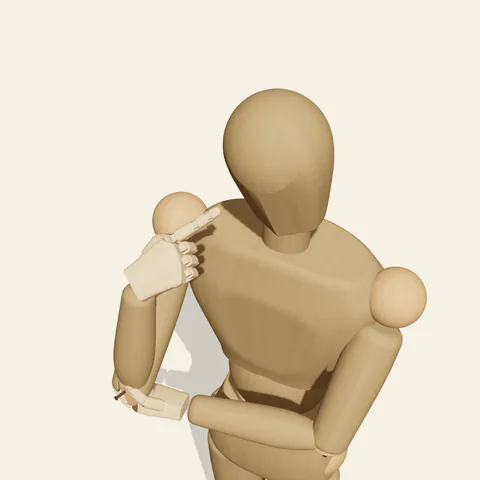
high-angle view
The right elbow stays low, near the right side of the ribs, and the forearm climbs steeply so the hand arrives beside the face. Only the index finger extends; it is held straight and its tip presses into the right cheek just under the eye. The middle, ring and little fingers curl into the palm and the thumb folds across them, so the hand reads as a small fist with a single pointer on top. The wrist bends slightly back toward the face. The left forearm runs across the body below the chest, almost horizontal, and the left hand closes beneath the right elbow like a shelf that holds the raised arm up. The head stays facing front but tilts slightly toward the touching finger, which gives the gesture a puzzled, slightly playful air. The legs are posed out of frame, weight on the right leg.
The pointing hand is small next to the face, so its proportions slip easily. Draw the curled fingers as one block with three stepped knuckle ridges, then attach the index finger at the top corner and dent the cheek contour a little where the tip presses. From the front the two forearms make an L, one vertical and one horizontal. The three-quarter view from the figure's front-left shows the supporting hand wrapped under the elbow. The side view from the left puts the horizontal forearm in front of the ribs, and the high angle turns it into a clear bar across the body. From the low angle the index finger foreshortens and the fist sits just above the jaw.
More on angles and common mistakes
Watch for three mistakes: placing the fingertip so high it pokes the eye, opening all five fingers into a flat palm on the face, and letting the support hand hang below the elbow with no contact. On the wooden figure the left hand sits just under the elbow joint; when drawing, wrap its fingers around the arm so the support is obvious.
A finger on cheek pose works for quiz-show contestants, curious characters on a model sheet, reaction panels that say "hmm", and cute portrait studies. In Edit this pose, slide the index fingertip up toward the temple and tilt the head away from it to make the thought look harder and more comic.
Free to use (CC0). The pose images on this page are released under CC0 1.0 (public domain dedication). Use them for drawing practice, commercial illustration, reference sheets or AI image generation; no attribution is required. A credit to PoseMaker is appreciated but optional.
Finger on Cheek pose prompt
Copy a prompt for your AI image generator. Pair it with the OpenPose skeleton in ControlNet so the generated character matches this exact pose.
General prompt
A waist-up view of a person in a thinking gesture: the right forearm rises from a low elbow, the straight index finger presses the right cheek just under the eye, other fingers curled. The left forearm crosses below the chest and the left hand cups the right elbow. Head tilted slightly toward the finger, plain background.
Midjourney
upper body portrait, person touching cheek with one index finger, other fingers curled, raised forearm from low elbow, other arm across body holding the elbow, head tilted toward the finger, thoughtful playful expression, plain background --ar 4:5 --style raw
Stable Diffusion
1person, upper body, finger on cheek, index finger extended, pointing at own face, curled fingers, hand holding elbow, arm across body, head tilt, thinking, looking at viewer, front view, waist-up shot, playful, plain background, simple background, five fingers
Negative prompt
finger in eye, open palm on face, all fingers extended, floating elbow, support hand missing, wrong finger count, fused fingers, extra hands, bent index finger, full body, nsfw, deformed hands, blurry
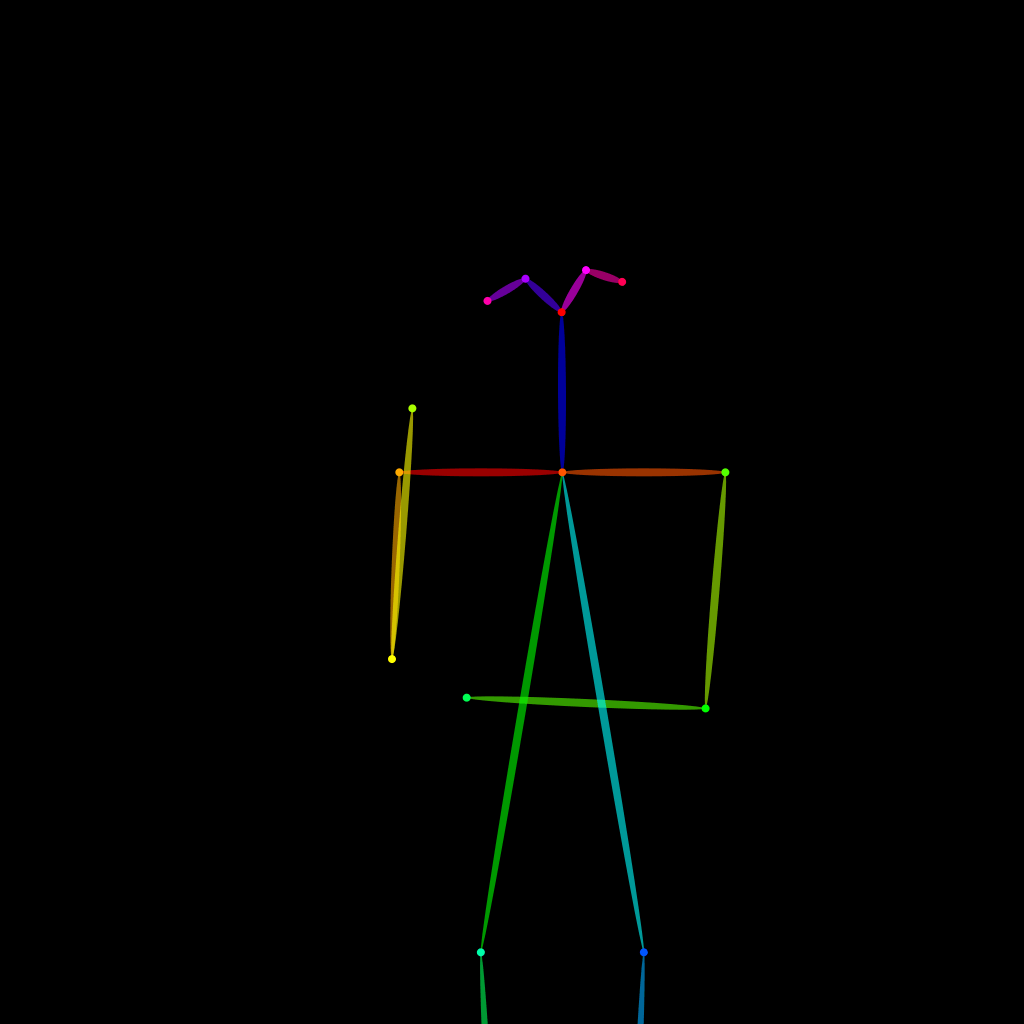
OpenPose skeleton for ControlNet
Load the PNG into a ControlNet OpenPose unit (preprocessor: none), or import the JSON into an OpenPose editor.
Have a photo of the pose you want?
Upload it to Photo to Pose. We detect the pose in your browser and put it on the mannequin, ready to adjust.