Finger HeartPose Reference
Camera angles
Finger Heart: the right hand rises beside the face with the thumb crossed over the bent index finger, while the left hand rests on the waist.
Tags: upper bodyhand gesturefinger hearthand on hipcute
How to draw the Finger Heart pose
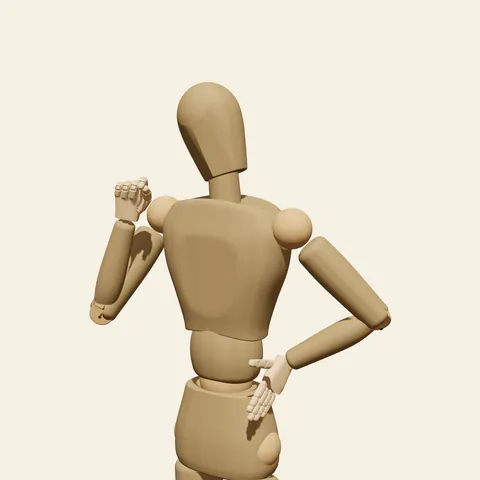
three-quarter view 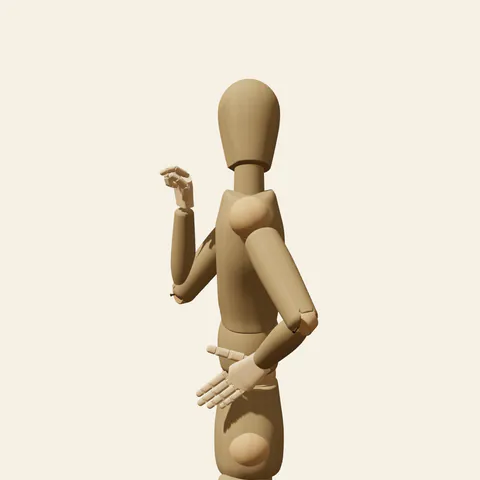
side view 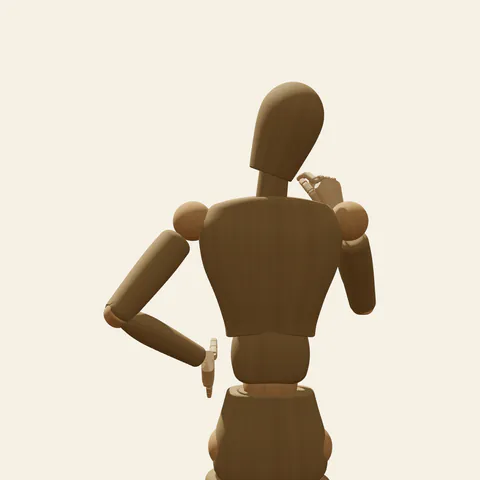
back view 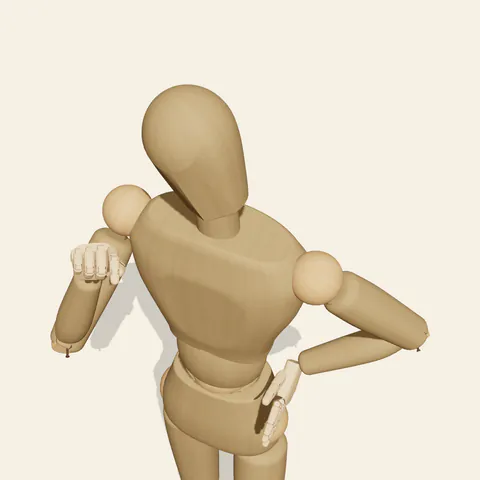
high-angle view
The raised hand carries the gesture. The right elbow swings out and a little forward, the forearm rises almost upright, and the hand turns so the crossing faces outward right beside the cheek. The index finger bends at its first two joints; the thumb pad lies across it just short of the tip, and the small crossed point between them is the heart. The middle, ring and little fingers fold tightly into the palm. On the other side the left hand presses against the waist with the fingers pointing down and the elbow out to the side, leaving a triangle of space between arm and ribs. The head and neck tilt clearly toward the raised hand, bringing the cheek to meet it. Weight sits on the right leg; the legs are posed but out of the waist-up frame.
Because the heart itself is tiny, make it read through contrast. The three folded fingers form a compact block, and the index and thumb stick out of it as a short crossed pair; draw the block first, then the pair. Overlap the knuckles against the edge of the face carefully so the fingers do not merge into the jaw line, and remember the mannequin's head is a smooth egg, so place the cheek you imagine. The three-quarter view shows the crossing most clearly. From the side, taken from the figure's left, the waist elbow points toward you and the raised hand sits partly behind the head. The high angle foreshortens the raised forearm, and the low angle stacks the hand above the face.
More on angles and common mistakes
Frequent errors are crossing the thumb under the index instead of over it, opening the other three fingers so the gesture reads as an OK sign or a pinch, holding the head straight so the playful tilt disappears, and pushing the hand far in front of the face. A finger heart pose fits idol and K-pop fan art, selfie scenes, streamer avatars, sticker sets and friendly social posts.
In Edit this pose, take the left hand off the waist and let that arm hang straight; the figure becomes calmer and all the attention goes to the raised hand. Mirror the pose if the composition needs the heart on the other side.
Free to use (CC0). The pose images on this page are released under CC0 1.0 (public domain dedication). Use them for drawing practice, commercial illustration, reference sheets or AI image generation; no attribution is required. A credit to PoseMaker is appreciated but optional.
Finger Heart pose prompt
Copy a prompt for your AI image generator. Pair it with the OpenPose skeleton in ControlNet so the generated character matches this exact pose.
General prompt
Waist-up view of a person making a finger heart beside the face with the right hand: thumb crossed over the bent index finger, other fingers folded, forearm upright. Left hand on the waist, elbow out, head tilted toward the raised hand, plain background.
Midjourney
waist-up portrait, person making a finger heart beside the cheek, thumb crossed over bent index finger, other fingers folded, other hand on waist with elbow out, head tilted toward the raised hand, plain background --ar 4:5 --style raw
Stable Diffusion
1person, upper body, waist up, finger heart, hand gesture, thumb crossed over index finger, hand near face, raised forearm, hand on hip, elbow out, head tilt, three-quarter view, plain background, simple background, cute, natural proportions
Negative prompt
ok sign, open fingers, thumb under index finger, hand covering face, straight head, both hands raised, wrong finger count, extra fingers, fused fingers, deformed hands, extra arms, bad anatomy, cropped hands, nsfw
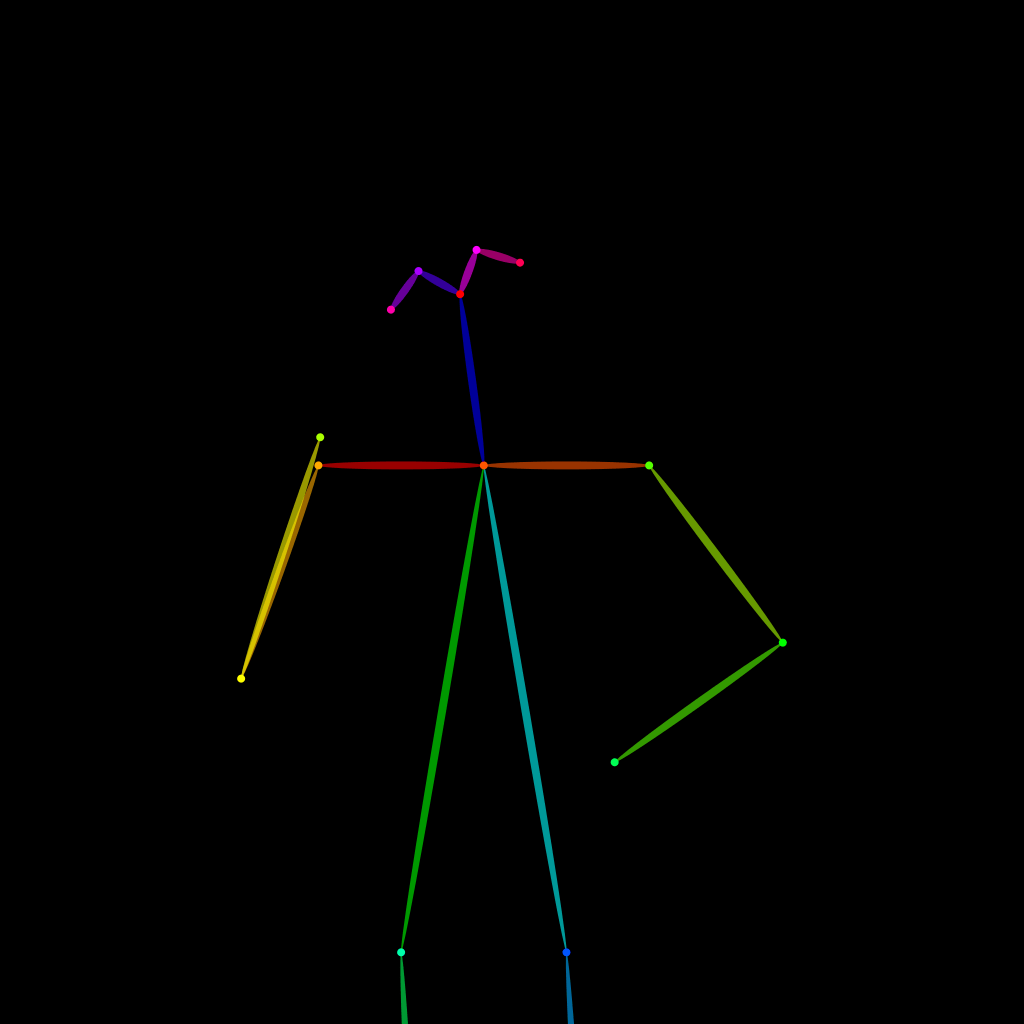
OpenPose skeleton for ControlNet
Load the PNG into a ControlNet OpenPose unit (preprocessor: none), or import the JSON into an OpenPose editor.
Have a photo of the pose you want?
Upload it to Photo to Pose. We detect the pose in your browser and put it on the mannequin, ready to adjust.