Back View AkimboPose Reference
Camera angles
Back View Akimbo is seen from behind: weight on the left leg, right hand on the hip with the elbow out, and the head turned to look over the left shoulder.
Tags: standingfigure drawingfull bodyback viewhand on hip
How to draw the Back View Akimbo pose
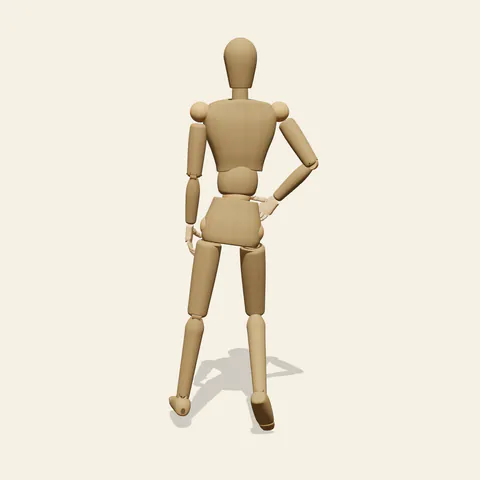
three-quarter view 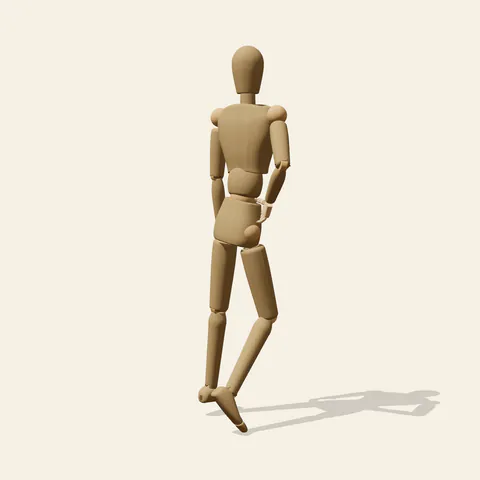
side view 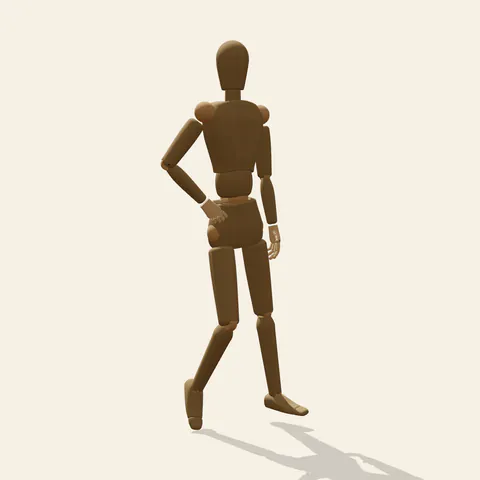
back view 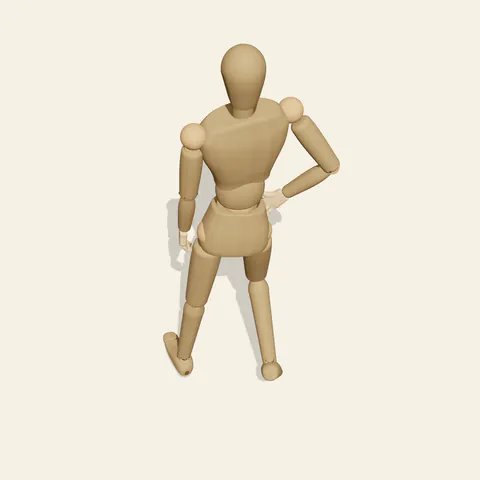
high-angle view
The straight left leg takes the load and the pelvis settles over it, while the right knee bends forward and the right heel lifts so only the ball of that foot meets the ground. The right hand rests on the hip with the elbow pushed out to the side, opening a triangle of space beside the waist; the left arm hangs loose along the body. A slight arch in the lower back tips the pelvis forward, and the head rotates left so the face turns back toward the camera. The result reads as someone pausing mid-step to glance behind.
Because the rear is the intended viewpoint, build from the spine: a gentle S from the base of the skull to the sacrum, bending toward the standing leg at the waist. Mark the shoulder blades next. The right one draws back and inward because its arm is bent, while the left stays flatter against the ribcage. The neck twist is the trickiest part of this back view hands on hips pose, since the head turns but the shoulders barely follow, so keep the jaw line visible on the left side of the neck. The front and three-quarter views confirm which foot carries the weight, and the side view from the figure's left shows how far forward the bent knee travels.
More on angles and common mistakes
Avoid rotating the whole torso along with the head, which destroys the back view. Do not place the hand so high that the elbow floats near the ribs; it belongs on the bony rim of the pelvis, which matters here because the bare wooden figure has no waistband to anchor it. Both heels drawn flat is another quick way to lose the gesture. Use it for characters leaving a scene, costume back designs and comic panels where the reader shares the character's view.
In Edit this pose, lift the loose left hand onto the left hip for a full akimbo outline. Two elbows widen the back into a strong diamond, but check the three-quarter angle so the new elbow does not cut across the turned face.
Free to use (CC0). The pose images on this page are released under CC0 1.0 (public domain dedication). Use them for drawing practice, commercial illustration, reference sheets or AI image generation; no attribution is required. A credit to PoseMaker is appreciated but optional.
Back View Akimbo pose prompt
Copy a prompt for your AI image generator. Pair it with the OpenPose skeleton in ControlNet so the generated character matches this exact pose.
General prompt
Back view of a standing person with weight on the straight left leg, right knee bent and right heel raised. Right hand rests on the hip with the elbow out, left arm hangs relaxed, lower back gently arched, head turned to look back over the left shoulder. Full body, plain background.
Midjourney
full body back view of a standing person, weight on left leg, right knee bent with heel lifted, right hand on hip, elbow out, left arm relaxed, slight lower back arch, looking over left shoulder, plain background --ar 2:3 --style raw
Stable Diffusion
1person, full body, from behind, back view, standing, hand on hip, elbow out, one arm down, weight on one leg, bent knee, heel raised, looking back, looking over shoulder, head turned, plain background, simple background
Negative prompt
front view, facing camera, torso turned to camera, both hands on hips, both heels flat, arms crossed, hand on ribs, nsfw, twisted neck, extra arms, extra legs, bad anatomy, cropped feet, deformed hands
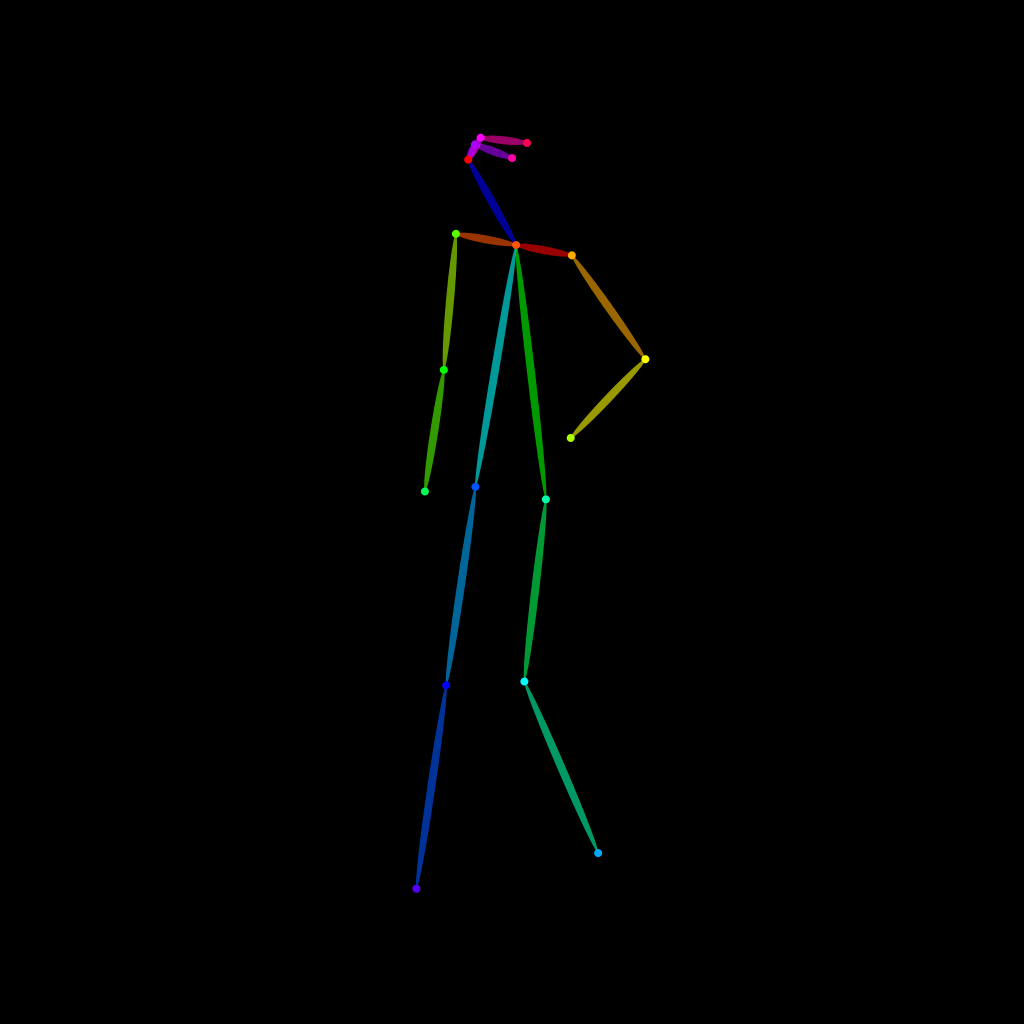
OpenPose skeleton for ControlNet
Load the PNG into a ControlNet OpenPose unit (preprocessor: none), or import the JSON into an OpenPose editor.
Have a photo of the pose you want?
Upload it to Photo to Pose. We detect the pose in your browser and put it on the mannequin, ready to adjust.