Hair Behind the EarPose Reference
Camera angles
Hair Behind the Ear raises the right elbow out to shoulder height as the fingertips slip behind the ear and the left hand rests on the upper chest.
Tags: upper bodyhand gesturehair tuckgraceful
How to draw the Hair Behind the Ear pose
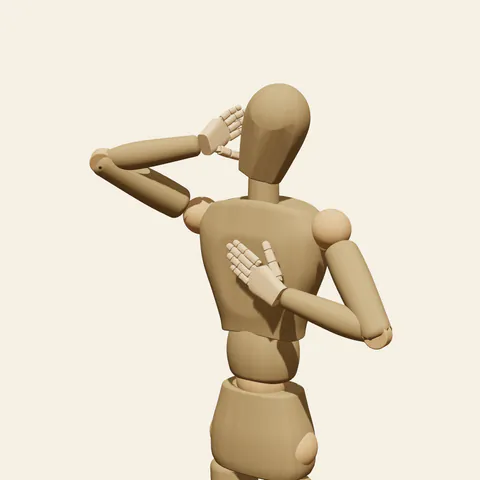
three-quarter view 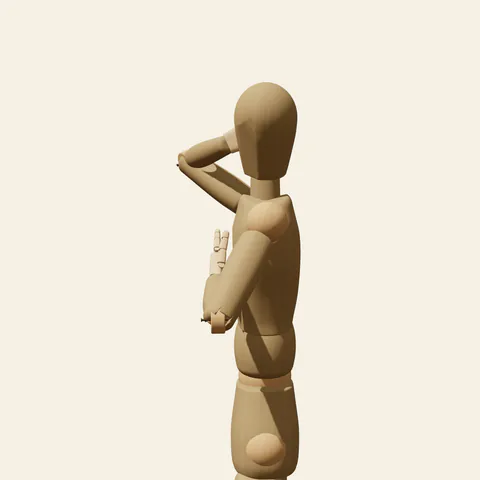
side view 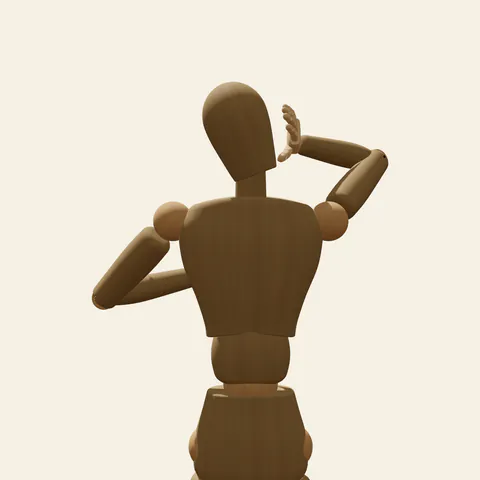
back view 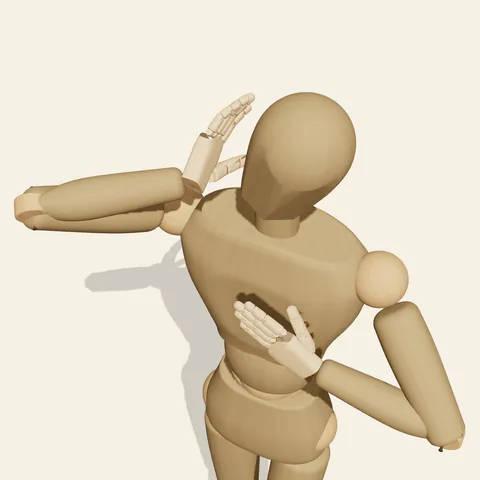
high-angle view
The right upper arm lifts out to the side until the elbow is level with the shoulder, and the forearm folds back sharply so the hand reaches the side of the head. The wrist bends inward, the palm sits beside the right ear facing the head, and the fingers keep a soft natural curl that grows slightly from the index finger to the little finger, their tips tucked just behind the right ear. The thumb hangs loosely below. The left elbow stays low at the side and the forearm angles up across the body so the open hand lies flat on the chest, the whole palm against it and the fingers straight and together. The head tilts clearly toward the left shoulder, away from the raised hand, and turns a little, opening the right side of the neck toward the raised hand. The mannequin has no hair, so the strand being tucked is imagined. Below the frame, the weight rests on the right leg.
The raised arm and the head enclose a triangle of empty space; keep that gap open, because it is what makes the gesture look light. From the front the backs of the curved fingers overlap the side of the head behind the ear. The back view is the clearest angle for the fingertips meeting the ear and for the elbow pointing sideways. The side view, taken from the figure's left, hides the raised hand behind the head and instead shows the left hand on the chest and the head tilt. The low angle exposes the underside of the forearm and the armpit, and the high angle shows the elbow level with the shoulder line.
More on angles and common mistakes
Point the elbow forward and the gesture becomes a salute or a head scratch. Tilt the head toward the raised hand and the hand gets crowded. Curling the chest hand into a grip looks anxious; keep it flat and open. Let the right shoulder rise a little, but not up to the ear.
Use this tucking hair behind ear pose for quiet romance panels, windy hilltop portraits with imagined wind, shy greetings and elegant character sheets. In Edit this pose, lower the right elbow toward the front of the chest so the forearm crosses in front of the face; the tuck becomes smaller and more bashful while the fingertips stay at the ear.
Free to use (CC0). The pose images on this page are released under CC0 1.0 (public domain dedication). Use them for drawing practice, commercial illustration, reference sheets or AI image generation; no attribution is required. A credit to PoseMaker is appreciated but optional.
Hair Behind the Ear pose prompt
Copy a prompt for your AI image generator. Pair it with the OpenPose skeleton in ControlNet so the generated character matches this exact pose.
General prompt
A waist-up view of a person tucking hair behind the ear: the right elbow lifted out to the side at shoulder height, right fingertips sliding behind the right ear, left hand lying flat on the chest, palm against it. Head tilted clearly toward the left shoulder, away from the raised hand, calm graceful mood, plain background.
Midjourney
upper body portrait, person tucking hair behind ear, right elbow raised to shoulder height, fingertips behind the ear, other hand flat on the chest, head clearly tilted away from the raised hand, graceful calm expression, plain background --ar 4:5 --style raw
Stable Diffusion
1person, upper body, tucking hair, hand behind ear, arm up, elbow out, hand on own chest, head tilt, graceful, calm, looking at viewer, front view, waist-up shot, long hair, plain background, simple background, natural proportions, five fingers
Negative prompt
elbow pointing forward, salute, scratching head, head tilted toward raised hand, gripping chest, shrugged shoulder, wrong finger count, fused fingers, extra hands, full body, nsfw, deformed arms, blurry
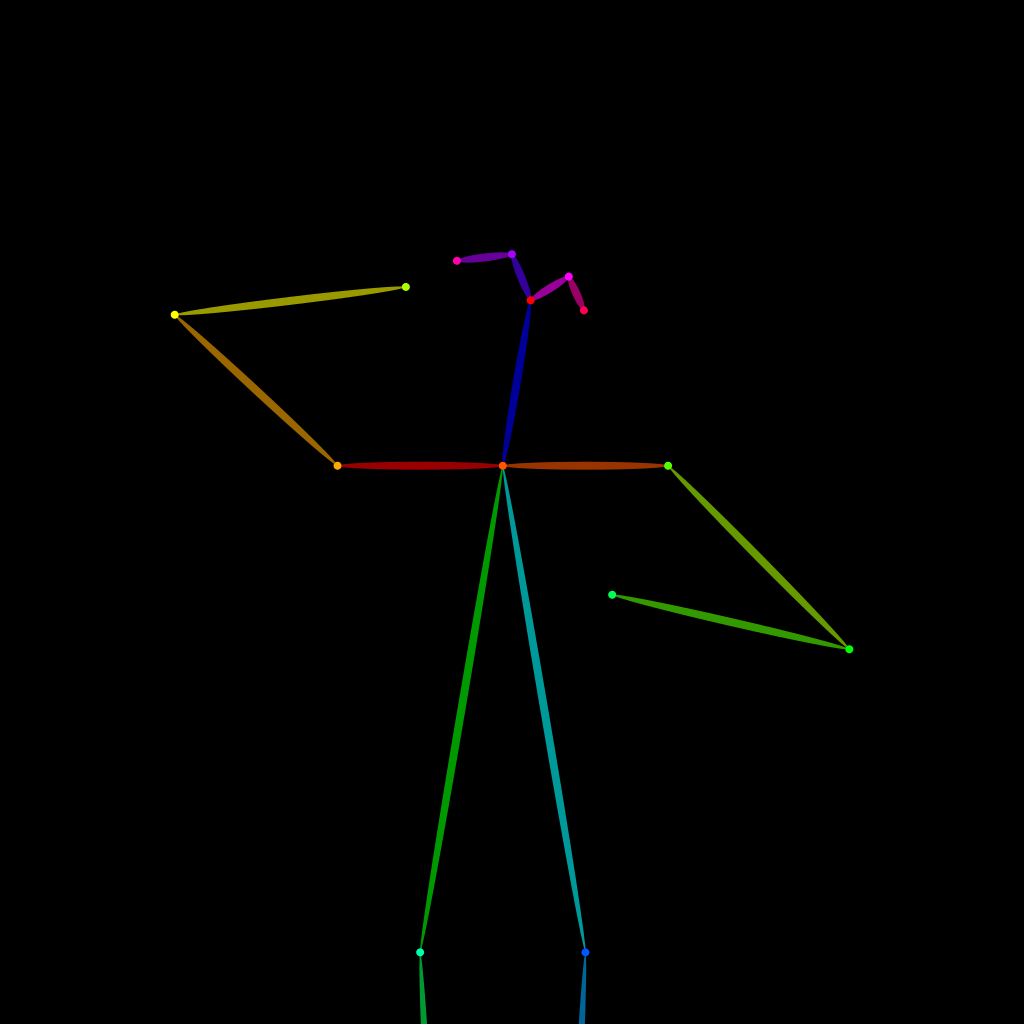
OpenPose skeleton for ControlNet
Load the PNG into a ControlNet OpenPose unit (preprocessor: none), or import the JSON into an OpenPose editor.
Have a photo of the pose you want?
Upload it to Photo to Pose. We detect the pose in your browser and put it on the mannequin, ready to adjust.